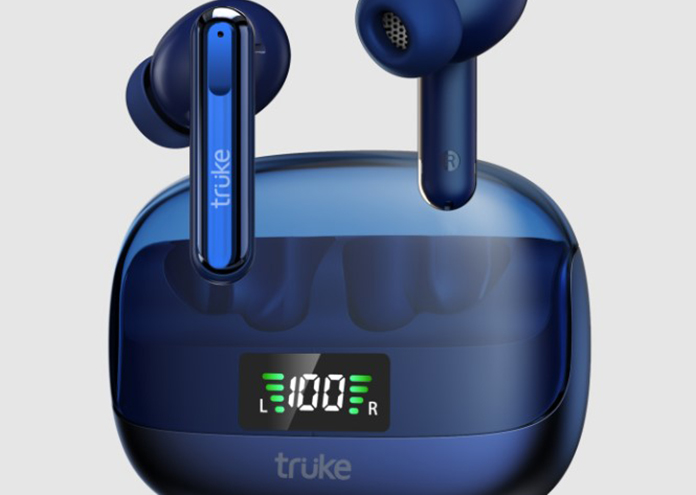
Truke, a prominent audio accessory business, has just released its latest truly wireless earbuds in the Indian market. These earbuds, known as Bud’s Vibe, are reasonably priced and offer some noteworthy characteristics. Let’s look more closely at what they have to offer. First and foremost, consider the design of these earbuds. They have a step design, similar to Apple’s AirPods Pro. Truke, on the other hand, has added its own spin to the design with a glass top on the charging case and a digital battery life indicator that shows the charge levels of both earbuds. Despite their low price, the earbuds feature Environmental Noise Cancellation (ENC) and Active Noise Cancellation (ANC), which can block up to 35 decibels of noise.
The earbuds’ 13mm titanium drivers produce crystal-clear sound, and Truke has four pre-set EQ settings to enhance your music experience. Dynamic Audio, Bass Boost Mode, Cinema Mode, and Default Balanced Mode are among the options. The earbuds can also play music for 10 hours on a single charge, and the charging case can extend the battery life by up to 48 hours.
The Truke Buds Vibe also boasts touch controls, IPX5 water resistance, Fast Pair Technology with Open to Pair, and Bluetooth 5.3. Beginning today, April 4, 2023, these earbuds are available in India for 1,699 INR on Flipkart, Amazon, and Truke’s own website. For a limited time, the firm is offering a discount on the earphones, reducing the price down to just 1,499 INR till April 6. Overall, the Truke Buds Vibe is a wonderful choice for anyone looking for reasonably priced, truly wireless earbuds with remarkable capabilities. Consider their elegant style, powerful noise cancellation, and long battery life.
Vivo Teases Two New T2 5G Series Smartphones Recent reports say Vivo will show off two new T2-series smartphones in India this month. Flipkart now has a landing page for the T2 5G series, which shows off two forthcoming devices. The names Vivo T2 5G and T2x 5G have shown up on Google’s list of supported devices, even though the company hasn’t made the names of its T-series phones public.
The landing page teaser image depicts the Vivo T2 5G and T2x 5G. Their other specifications, however, are yet to be published. Both smartphones, according to sources, will have Full HD+ displays, 8 GB of RAM, and 128 GB of storage. They will also come equipped with Android 13 based on FunTouch OS. The Snapdragon 695 is predicted to power the T2, while the Dimensity 700 is supposed to power the T2X.
Both smartphones are estimated to cost less than Rs 20,000 ($243), with the T2x being one of Vivo’s most affordable 5G handsets. Further teasers from the brand are expected to confirm the T2 5G series’ essential characteristics. In addition to the launch of the T2 series, Vivo is planning a huge launch event in China where many new devices, such as the Vivo Pad 2, Vivo X Fold 2, and Vivo X Flip, will be shown off.
Summary: This month, Vivo will debut two new T2-series smartphones in India. Flipkart now offers a landing page for the T2 5G series. Both devices must include Full HD+ displays, 8 GB of RAM, and 128 GB of storage. Both smartphones are estimated to cost less than Rs. 20,000 ($243). Vivo is also planning to release new devices, such as the Vivo Pad 2 tablet, the Vivo X Fold 2, and the Vivo X Flip.
Several popular Android OS skins, like Xiaomi’s, let you lock certain apps and stop unauthorized people from using them by using biometric authentication. Even though there are some stability issues, this feature can also be added to vanilla Android through Play Store apps. Even though WhatsApp conversations are private, Meta’s latest changes show that adding a biometric lock to each chat is a step in the right direction.
Surprisingly, despite its emphasis on privacy and security, WhatsApp lacks in-app biometric authentication solutions. According to WABetaInfo, the current WhatsApp beta update (version 2.23.8.2) on the Play Store indicates that a new feature that allows users to lock specific chats using a passcode or fingerprint is in development. The fingerprint unlock option is already enabled, and a passcode is intended to be set up as a backup.
Screenshots of the feature show that private group conversations can be hidden from the page with information about the group. Encrypted discussions will be moved to a separate virtual vault from regular conversations, which only needs one login. Nevertheless, what would happen to the chats’ material is still being determined as to how alerts from these chats will be shown and how many topics can be locked. If users forget their passcode, WhatsApp will destroy the discussion if they try to force it open, according to WABetaInfo. Telegram, for example, has offered passcode or fingerprint unlock since approximately 2018, but only for the program as a whole, not for single chats.
As development and beta testing continue, more information about the functionality should become available. It may be preferable to use OS-level or third-party program lock utilities.
Introduction: The Importance of Discord Server Promotion
Building a strong Discord community
A strong Discord community benefits businesses, content creators, gamers, and groups with similar interests. People may be more likely to work together, share their knowledge, and have fun in a healthy and active community.
Advertising for community growth
For acquiring new members and maintaining growth, Discord server promotion is essential. A well-executed server advertisement plan may boost visibility, encourage member engagement, and create a more dynamic and healthy community.
Enhancing Server Visibility
Discord invites and custom server banners
Custom Discord invites, and server banners can help your server stand out. These invites and banners can be shared on social media and other online forums to raise awareness and drive traffic to your server.
Discord server SEO for better search results
You can make your Discord server more visible to people who might want to join by optimizing it for search engines. Use keywords relevant to your server, channel, and tags to improve your search rankings.
Utilizing Social Media Promotion
Content sharing across platforms
Sharing your server’s content on well-known social media sites like Twitter, Facebook, and Instagram will bring in new users and make your server more known. Tailor your content to each platform’s audience and structure for optimal impact.
Gaming server promotion through popular platforms
Marketing on popular gaming sites like Twitch, YouTube, and Reddit can be very effective for gaming servers. Collaborate with influencers, streamers, and other gaming communities to reach more people and encourage them to join your server.
Expanding Your Reach with Partnership Programs
Cross-server collaboration for mutual growth
Expanding your community by working with other Discord servers is a great idea. Both servers can gain from increased exposure and an infusion of new members by collaborating on events, promotions, or content sharing.
The benefits of Discord server merging
Merging with another Discord server is sometimes a sensible growth strategy. Mixing the best aspects of the two communities can result in a more dynamic and diverse environment for residents of both areas.
Bots for Server Growth
Automating server management and promotion
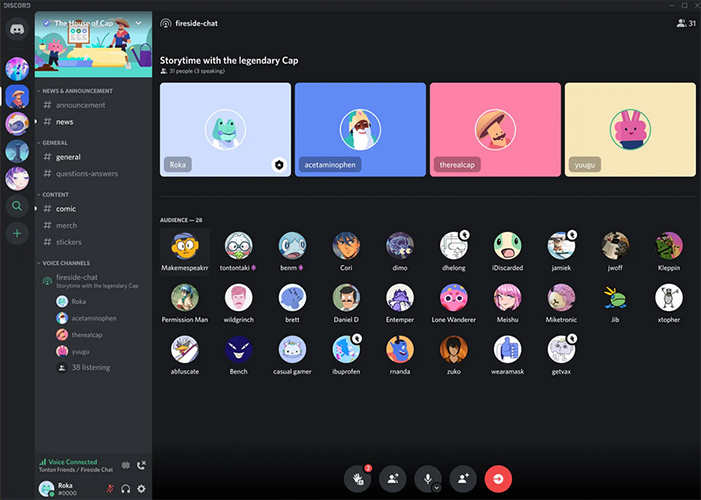
Bots can save you time regarding marketing and keep your server running smoothly by taking care of your community. Bots can automatically greet users, watch channels, and promote server events, giving you more time to focus on other ways to grow.
Enhancing member engagement with bots
Bots are also good at managing tasks. They can also be used to increase member involvement. Trivia, music, and game bots can entertain your community members and encourage them to spend more time on your server.
Server Listing Websites: Maximizing Exposure
Choosing the right listing website for your server
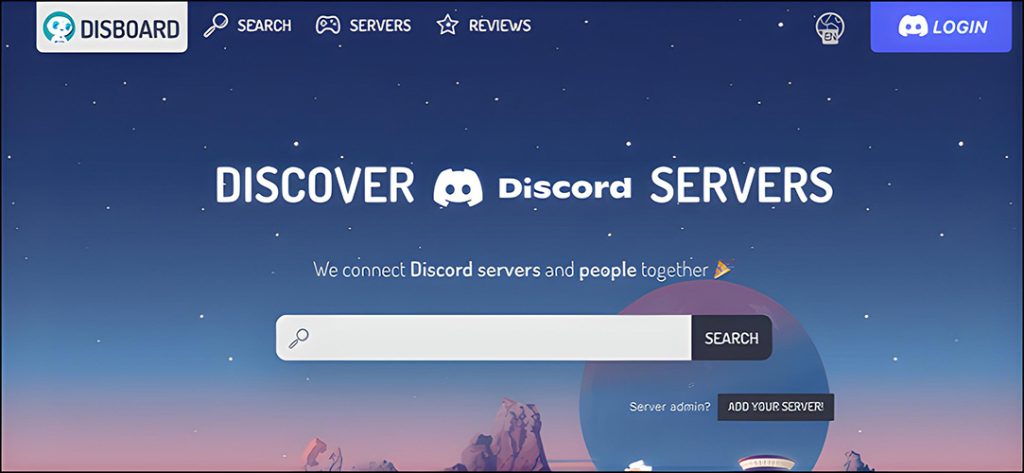
Listing your server on a reliable server listing websites can dramatically boost your server’s visibility. Research and select the top listing websites for your niche or target audience to increase your chances of getting new members.
Optimizing your server listing for success
Give your server a catchy title and description, and make sure it is valid using tags. If the information you give about your server is accurate and exciting, you may be more likely to attract the right people.
Influencer Collaboration for Discord Community Growth
Identifying influencers in your niche
Working with influencers who have a similar target audience helps enhance server growth. Investigate and interact with influencers in your niche, and consider offering them incentives to join and promote your server to their following.
Tips for successful influencer partnerships
When working with influencers, set clear parameters and objectives while allowing them to be creative. Keep communication open and ensure the partnership benefits both sides for a successful collaboration.
Targeted Audience Outreach
Niche community to target specific interests
Focusing on a specific niche or group of goods can make your server more appealing to people who might want to join. Tuning your server’s content and channels for a particular audience can enhance the experience for your community members.
Channel optimization for different user types
Tuning your server’s channels for diverse user groups increases participation and engagement.
Make channels for other topics, skill levels, or interests to meet your members’ different needs and tastes.
Encouraging Member Engagement
Server events to keep members active
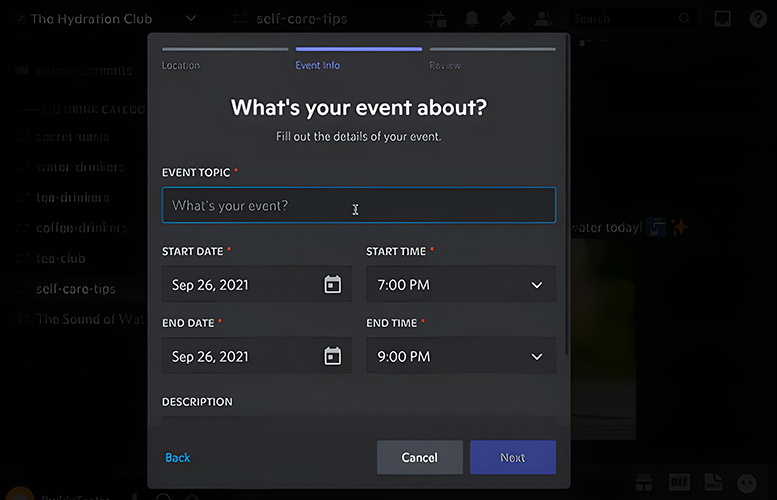
Keeping your community engaged and interested may be as easy as setting up server events like game nights, Q&A sessions, and virtual meetups. Frequent events give users something to look forward to and motivate them to continue using the server.
Discord server reviews: Collecting feedback for improvement
Having people in your community look at and comment on your server will help you figure out how to improve it and meet the needs of your users better.
Be open to helpful feedback and make the necessary changes to ensure everyone has a good time.
Giveaways and Contests: Boosting Server Popularity
The impact of giveaways on server growth
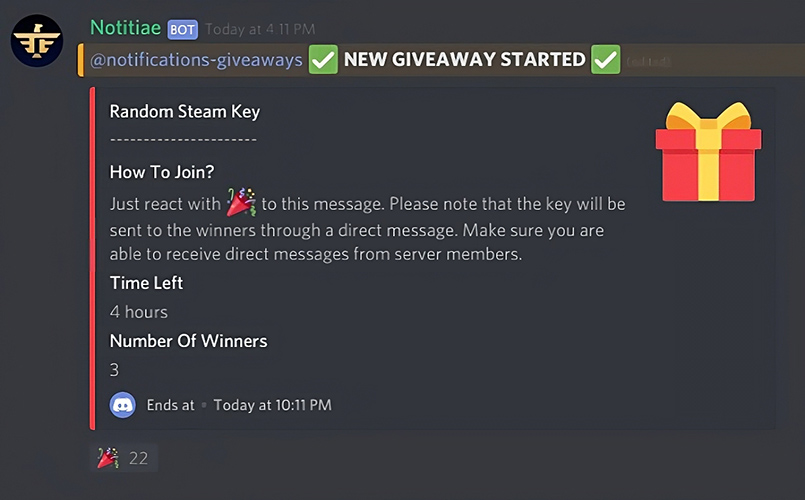
Offering giveaways and contests can boost your server’s popularity and attract new users. Providing expensive prizes, like in-game stuff, gift cards, or server benefits, can generate excitement within your community and inspire more people to join.
Organizing engaging contests for your community
When organizing contests, pick intriguing themes and formats that appeal to your target audience. Advertise the contest across multiple channels and urge participants to share it with their friends for maximum exposure.
Discord Server Branding: Building a Recognizable Identity
Establishing a unique server aesthetic
Your server’s consistent and unique appearance might help it stand out and gain recognition. Spend time and effort creating custom server icons, banners, and emojis that reflect the personality of your server and appeal to your target audience.
Consistent branding across channels and platforms
Keeping your branding consistent throughout your server’s media and advertising platforms can give your server a more professional appearance and help it stand out. Check that all your server’s written and illustrated parts fit its theme and message.
Analyzing Discord Server Analytics for Growth Insights
Monitoring server performance and trends
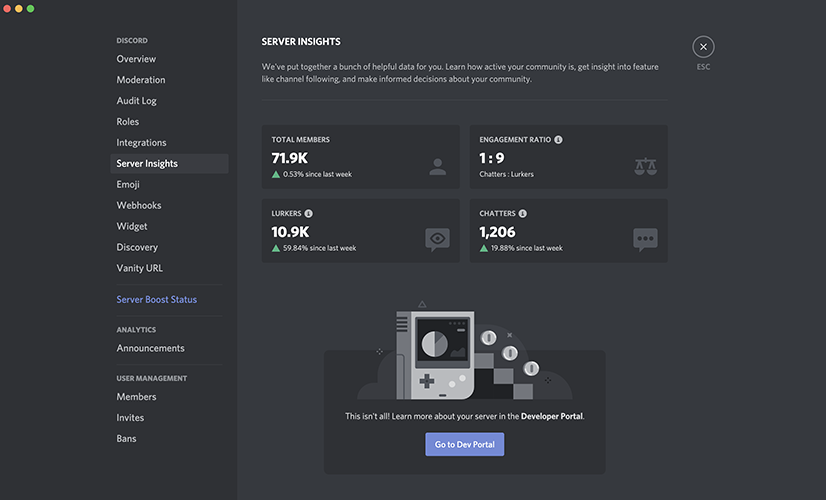
You can learn much about how your community grows and how people interact by looking at your server’s analytics regularly. Monitor metrics like the number of new members, active users, and messages sent to spot trends and find ways to improve things.
Creating data-driven decisions for community growth
By observing how your server functions, you may make informed judgments on how to build your community.
Use analytics data to change how you advertise, get more members interested, and improve your server’s content and look.
Conclusion
To establish a thriving Discord community, you must be persistent and flexible and use effective communication techniques.
Making the server more visible, involving members, and establishing solid connections can create a fun environment where users can interact, share information, and have fun.
You can ensure your server keeps growing and running well by monitoring how it’s doing and changing your marketing and engagement activities as needed.
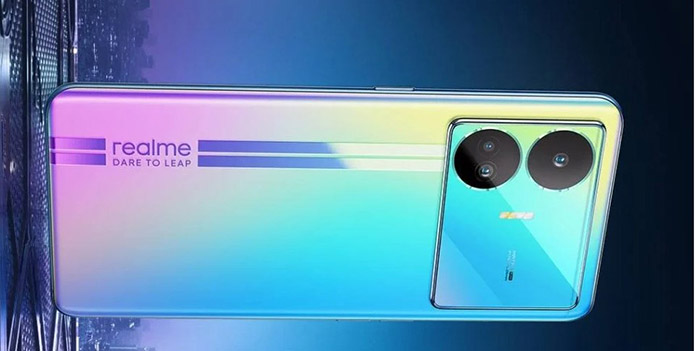
The Realme Narzo N55 is expected to be released in India soon, with reports claiming that it will be the first phone in Realme’s new Narzo N-series portfolio. While Realme has not confirmed anything about this phone, indications point to the launch of a new N-series smartphone in the company’s flagship Narzo portfolio.
According to sources, a recent report suggests that the Realme Narzo N55 will be revealed in India on April 12th at 12:30 PM IST. If this is correct, interested users can purchase the phone from Amazon and the official Realme websites shortly after its release.
While information about the phone’s functionality is limited, a primary source hinted at some expected characteristics. The phone will be expected that the phone will be available in Prime Black and Prime Blue color variants and that it will be priced in the mid-range gaming phone bracket.
Realme has announced the Realme C55, which includes a Tiny Capsule function similar to Apple’s Dynamic Island feature on the iPhone 14 Pro series. With the Realme Narzo N55’s release date approaching, tech fans want to discover more about this new Realme phone.
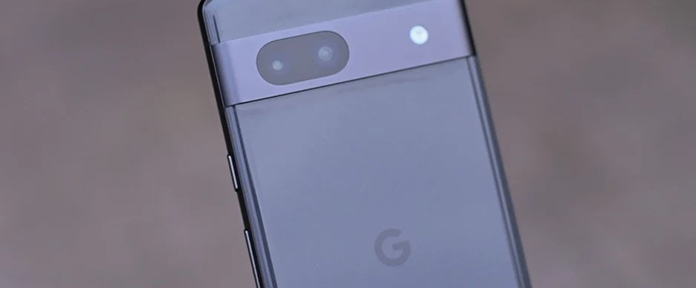
Google will launch the Pixel 7a, a mid-range smartphone, on May 10 at its I/O 2023 event. According to the most recent leak by source Paras Guglani, the phone will come in five color versions, a first for the A-series Pixel phones. These colors include Dinuguan Black, Crispy Kale, Mayo Cream, Tide Orange, and Vivid Ube. Furthermore, the Pixel 7a is expected to offer 256GB of storage, twice as much as the Pixel 6a.
The gadget is expected to have a dual-camera setup on the back with a 12MP ultra-wide camera sensor and a 64MP Sony IMX787 primary camera sensor. The phone is expected to contain a 10.8MP front camera for selfies, similar to the one seen in the more costly Pixel 7 and Pixel 7 Pro.
The Pixel 7a’s 6.1-inch OLED screen will boast a refresh rate of 90 Hz and a Full HD+ resolution. The phone will include a punch-hole cutout in the upper center of the screen. The phone will likely have Google’s Tensor G2 SoC, a custom-designed chipset.
In the design drawings, the back of the phone looks to have a metallic camera module resembling a visor, and it is reported to support 5W wireless charging. Nevertheless, current specifications for the battery or charging speed need to be improved. The Pixel 7a will ship with Android 13 pre-installed and is expected to go on sale in India shortly after the I/O 2023 debut. Genuine images of the phone have also been leaked. Google is expected to make additional availability and pricing announcements soon.
Discord has quickly become the go-to platform for gamers, content creators, and online communities because it is easy to use and has many communication tools. In addition to offering helpful hints and shortcuts to improve your overall experience, this in-depth manual will show you how to create, personalize, and manage your Discord account. Let’s get started and investigate all the possibilities that Discord offers.
Creating Your Discord account
Choose Your Platform
You must choose a platform before creating your Discord account. Discord is accessible on several devices, including desktop, mobile, and online. Although each platform provides a slightly different experience, they all offer the essential features of Discord.
When deciding which platform is best, think about the device you will use most often to access Discord. The software for iOS and Android phones can be downloaded, but the desktop app is only available for Windows, macOS, and Linux. If you can’t install the app on your device, you can still use the web app to connect to Discord.
Sign Up and Account Verification
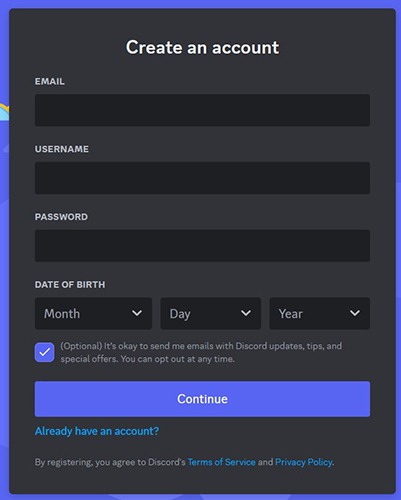
Visit the Discord website or download the app to register your account after choosing your platform. A unique username and a strong password will be required. You’ll also need to enter a working email address for account verification. Check your email for a verification message from Discord once you’ve submitted your information. To finish the verification procedure and have full access to your new account, click the link in the email.
Using the User Interface
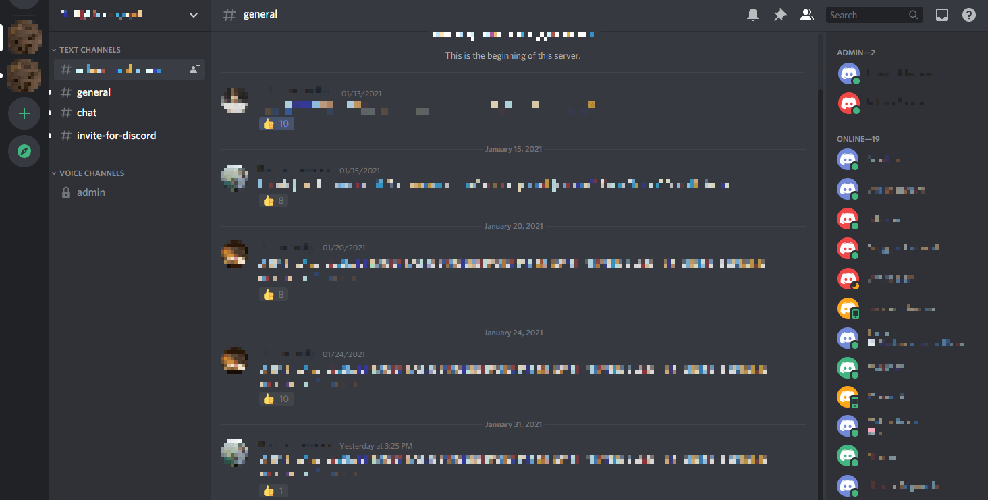
Discord’s user interface was created with simplicity and ease of use. A list of the servers and channels you’ve joined may be found on the app’s left side. Servers are arranged into foldable folders, and each server has several channels for various forms of communication. You can browse the content of a server or channel and take part in discussions by clicking on it.
Customizing Your Discord Account
Customize Your Profile
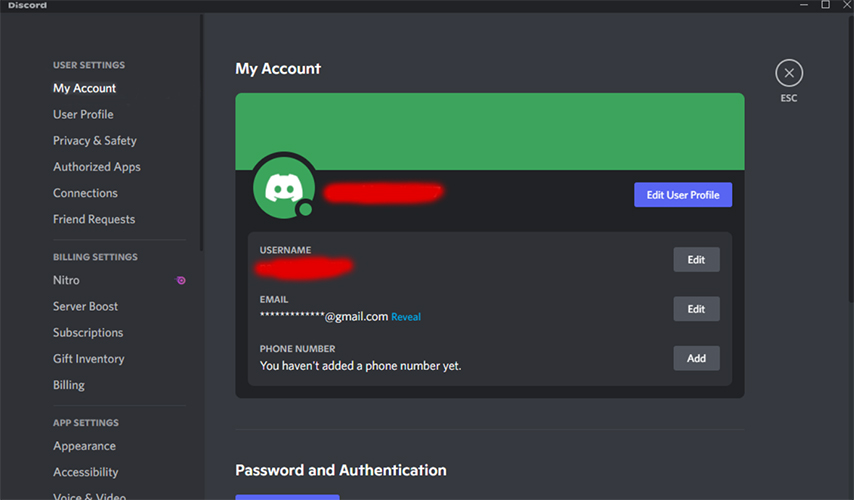
Consider personalizing your profile to make your Discord account stand out. You can add a profile photo that best suits you, create a custom status to convey your current state of mind or activity and create a short biography to introduce yourself to others. To access these options, click on the gear icon in the bottom-left corner of the app, then select the “My Account” page.
Manage Account Settings
You may customize your experience in Discord using a variety of settings. You can go through numerous options, including general settings, privacy settings, and notification settings, in the “User Settings” menu.
General Account Settings: Modify your username, email address, and password.
Privacy Settings: Tailor security options like two-factor authentication and friend request preferences. Manage notifications for messages, mentions, and other app activity in the notification settings.
Configuring Voice and Text Chat
Your voice and text chat settings on Discord need to be adjusted to get the most out of your communication experience.
Voice Settings: Change your input and output devices, volume levels, and audio quality.
Text Chat Settings: For a more comfortable reading experience, adjust the text’s look, font size, and other visual components.
Managing Servers and Channels
Joining and Leaving Servers
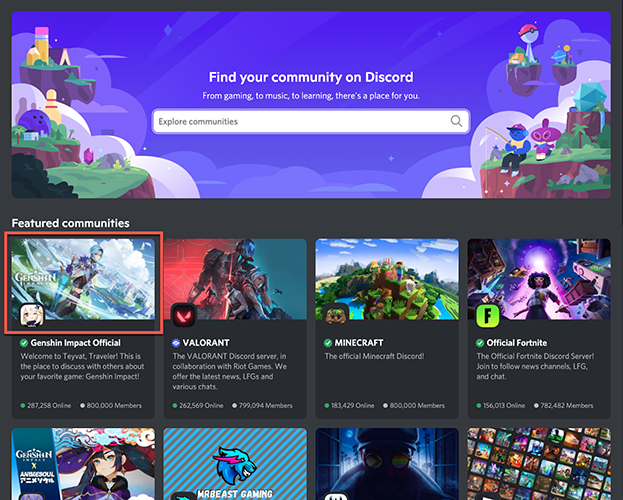
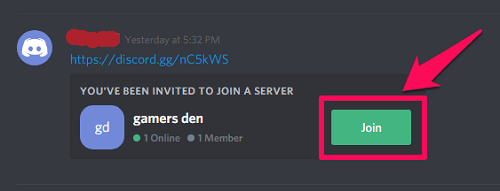
Joining servers relevant to your interests will help you get the most out of Discord. Using Discord’s server discovery feature or looking up communities online that share your interests can help you find public servers. You can also join servers using invitation links from friends or other community members. Click the + sign in the left sidebar, enter the server invitation link, or use the server discovery feature to search for servers.
It’s just as easy to leave a server. Choose “Leave Server” from the drop-down menu by right-clicking on the server icon. Remember to leave on good terms whenever you can and consider how your departure may affect the neighborhood.
Channel Design and Personalization
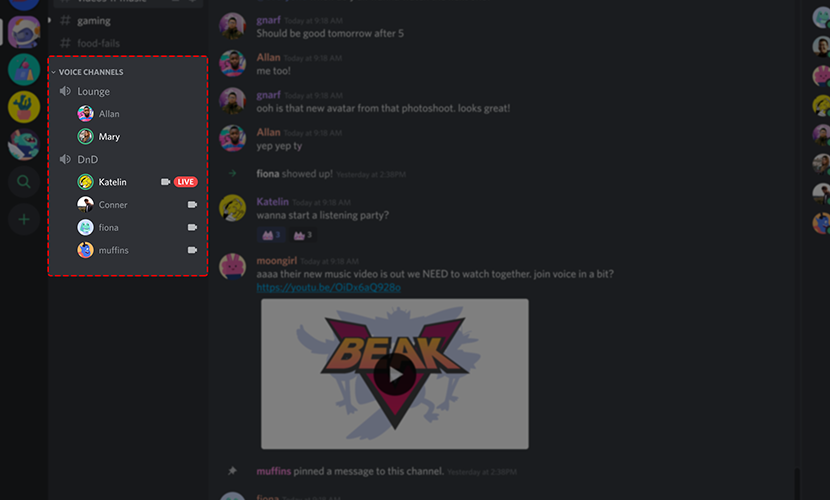
Administrators and people who own servers can make and change channels to allow different kinds of communication. Text channels and voice channels are the two main categories. While voice channels allow live voice chats, text channels compose and share messages, photos, and links.
Right-click the server icon and choose “Create Channel” or “Create Category” to set up a channel. Change the channel’s name, description, and access levels to give your community members the right amount of access.
User Roles, Bans, and Kicks
User roles aid in managing server permissions and the upkeep of community orders. Server owners can create and assign users to custom roles with specific rights. Roles can be used to identify moderators, administrators, and other crucial roles on the server. Server administrators can ban or kick users who misbehave or break the server’s rules. Kicks only temporarily remove users; bans permanently ban them from the server. Use these tools properly and ensure users can address issues or conflicts.
Advanced Features and Security
Two-Factor Authentication (2FA)
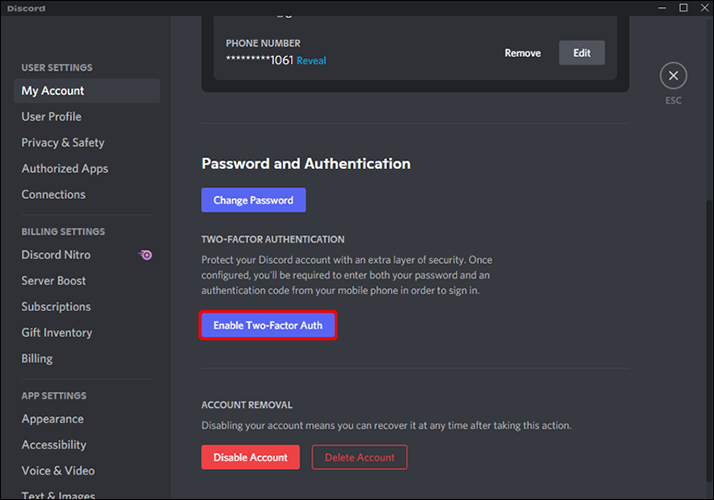
The security of your Discord account is increased with two-factor authentication (2FA). When enabled, logging in will require you to input a code from an authenticator app, such as Google Authenticator or Authy, in addition to your password. Visit the “My Account” tab in your user preferences and follow the on-screen instructions to enable 2FA.
Discord Nitro Subscription
Discord Nitro is a paid subscription service that gives you more features and benefits to improve your Discord experience. Some advantages include personalized emojis, higher-quality screen sharing, animated avatars, and server boosting. Nitro is offered in two tiers: Nitro Classic and Nitro. To choose the best plan for you, compare the features and costs of each one.
Desktop and Mobile Applications
Optimizing the Mobile App Experience
The Discord mobile app offers an easy way to keep in touch with your communities while on the go. Modify the mobile app settings to improve speed, battery life, and data consumption. Activate push notifications for critical updates and messages, but consider muting less critical channels to avoid distractions.
Enhancing the Desktop App Experience
The desktop software for Discord gives users a lot of extra features and ways to customize their experience. Learn the keyboard shortcuts to move around and run commands quickly, and change the settings of the desktop app to suit your needs.
Conclusion
You need to know how to use your Discord account to get the most out of this powerful communication tool. Following our comprehensive tutorial, you can confidently create, modify, and manage your account. Feel free to experiment with Discord’s numerous settings and capabilities; they can considerably improve online communication.
Xiaomi Mi 10 smartphone customers may finally celebrate as MIUI 14—the latest stable version with build number 14.0.2.0—has been officially introduced in China. TJBCNXM, which incorporates several exciting new features and updates, is now available for download. The 4.1GB update, based on Android 13, includes the March security patch, making the smartphone even safer. The Photon engine design is one of the main enhancements in this update, which improves system and third-party app acceleration, resulting in faster app loading times and more reliable performance. The interface features a distinctive style with personalized graphics, making it more appealing and user-friendly.
MIUI 14’s on-device privacy capabilities, like local picture and text recognition, are also noteworthy. Removes the need to transfer processed data to the cloud, ensuring data privacy and lowering the danger of data breaches. Xiaomi has also transformed its voice assistant, Xiao Ai, into an intelligent personal assistant. Xiao Ai Voice, Xiao Ai Vision, Xiao Ai Translator, and Xiao Ai Calls are among the functions that make the gadget more convenient and user-friendly.
Also, system settings have been modified to maintain search records and aggregate search results better. Xiaomi intelligent devices now support a variety of smart cards, including multi-brand digital auto keys and university campus cards. Overall, the MIUI 14 update for the Mi 10 introduces many new features and improvements that improve the device’s use, strength, and security. We encourage consumers to download the update immediately for the most recent advancements.
Realme, a Chinese smartphone manufacturer, released the GT Neo 5 in February and is preparing to release the Realme GT Neo 5 SE on April 4. While teasers and leaks have revealed some fascinating features about the impending device, let’s look closely at what we know. According to Realme’s teaser, the GT Neo 5 SE will have a flat front display and curved sides and back. The camera configuration will include a single lens in the upper cutout and two sensors in the below. The phone will come in two colors: black and Final Fantasy Blue. The front display of the GT Neo 5 SE will have minimal bezels and a punch hole in the center for the front camera. Images also show an in-display fingerprint sensor.
Regarding configuration, the Realme GT Neo 5 SE will be equipped with the latest Snapdragon 7+ Gen 2 chipset comparable to the Snapdragon 8 Gen 1 SoC. It should be noted that the Cortex-X2 prime body has never been used in a 7-series SoC. Yet, even with this technology, the Snapdragon 7+ Gen 2 outperforms the Qualcomm 8+ Gen 1. The chipset includes the Adreno 725 GPU, which has a lower clock speed limit of 580mAh rather than 900mAh, similar to the Adreno 730 GPU seen in the Snapdragon 8+ Gen 1. The GT Neo 5 SE scored 1,009,127 on the AnTuTu benchmark, which is impressive for a mid-range smartphone. The phone’s SoC combines up to 16GB of LPDDR5x Memory, 1TB of UFS 3.1 storage, and Android 13.0. The phone also includes a 5,500mAh battery with 100W fast charging capabilities.
Although the exact camera specifications are unknown, rumors indicate that the GT Neo 5 SE will offer an excellent camera configuration. The front-facing camera will likely feature a 16MP resolution, while the rear camera system will likely contain a 64MP OmniVision primary camera with an f/1.79 aperture. A 2MP sensor and an 8MP Sony IMX355 ultra-wide camera could be added, allowing consumers to record more in a single image. Users may expect to produce sharp and detailed photographs with these camera features.
On Weibo, a Chinese vlogger known as Flypig has shared an unpacking video of the much-anticipated Vivo X Fold 2, debuting earlier this year at the Boao Conference in China. The video provides a comprehensive look at the foldable phone’s design, highlighting some fascinating elements that will set it apart. The red rear panel of the Vivo X Fold 2 features a dual-tone appearance, giving it a trendy and eye-catching appearance.
The shiny back panel contrasts with the leather touch on the spherical camera module, which features ZEISS branding and the Vivo logo. The module includes three cameras and a ring LED flash, making it ideal for photographers. The X Fold 2’s cover display has a curved edge and a punch hole in the center. The device’s power button and volume rocker are on the right spine. A SIM card slot and a USB-C port are at the bottom, while a speaker and microphone are on the upper edge. The Vivo X Fold 2 is distinguished by an ultrasonic fingerprint reader built into the front and interior screens, offering extra protection.
One of the unboxing video screenshots shows the device’s thickness, which appears to be substantially thinner than the previous Vivo X Fold and X Fold+ models, which weighed 311 grams. The redesigned, slimmer shape of the X Fold 2 is a nice shift for individuals who enjoy sleek and portable gadgets. The Vivo X Fold 2 will be available in China in April, alongside the Vivo Pad 2 and the vertically folding Vivo X Flip. The company will announce the specific release date for these products soon. Readers can learn more about the X Fold 2’s specifications by clicking the links below.