Realme is soon going to launch the Realme X9 Pro and Realme X9 in the Chinese market. The phone will be the successor to the Realme X7 series that was launched in the market last year. The phone is expected to launch in the month of July and it has already been teased on social media through an image mentioning the model number of the phone. The phone is also expected to launch in India after it has been launched in the Chinese market.
The details regarding the release of the smartphone were shared on Weibo and it claims that the smartphones will be launched at an unspecified date in July. There were also leaks in the past which gives us an idea about the hardware specs of the smartphone. The Realme X9 Pro is expected to come with an AMOLED display that will run on a 90 HZ refresh rate and will have a 6.55-inch display size. The screen will also have Gorilla Glass 5 protection for durability. The phone will be powered using the premium Snapdragon 870 chipset and will have a triple camera setup including a 50MP primary Sony camera sensor.
It will also be equipped with SuperVOOC 2.0 fast charging technology. Now the phone has already been listed on TENAA which hints at the fact that it will be launched very soon. The Realme X9 will be powered using the Snapdragon 778G, however, no other details about the phone are currently available. We will have to wait for the official details about the smartphone until the release next month.
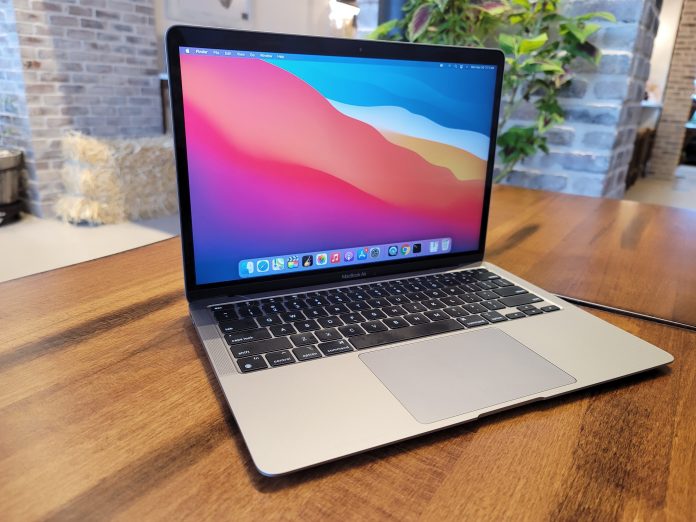
Apple has been working on a new Macbook Air and the news has been in the air for quite a while now. A few months back, Apple launched a completely new range of Macs and Macbook laptops with a redefined design and hardware specs. Now, the company is trying to redesign the Macbook Air and bring out a much more premium version of the same. As per the leaked details, the new Macbook Air will have a completely new design and will be a lot slimmer than the previous generations.
It will also house two USB-C ports and will be powered using the Apple Silicon chipset as Apple has already dropped using the Intel chipset in their devices. The chipset will be the successor to the M1 chip and will perform many times faster than the previous generation. The new chipset will also increase the graphic performance of the new Macbook Air by many times. The new Macbook Air will exist along with the base variants of Macbook Air but will be a much more premium and high-end model in its range.
Also, like the Mac’s, the Macbook Air will also be offered in a range of colors for the users to pick from. The new Macbook is expected to come with larger keys, a smaller trackpad, and an iPhone 12 inspired design element as well. We can also see the return of MagSafe charging technology along with a mini-LED display which the company has started using in their new devices. The new Macbook Air is expected to be launched earlier next year.
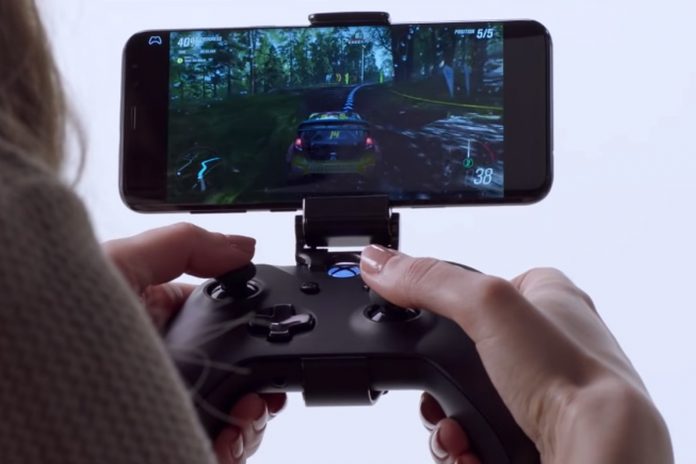
When it comes to Cloud gaming, Google was one of the first companies that assured users that they are working on creating games developed especially for the cloud. Since the most popular companies like Google, Microsoft, Apple, and others are already exploring and offering cloud-based gaming services, the announcement brought a lot of excitement. However, Google is reportedly no longer working on the same but Microsoft seems to have picked up where Google left.
Microsoft has recently hired Former Google Stadia design director Kim Swift, who has also been responsible for the most popular Valve game Portal. She will be building a team that will work only on cloud-based native games and making the overall gaming experience on the cloud much better. Since she has already worked on multiple games development in Google Stadia, her experience is going to provide a lot of advantages to the Microsoft platform. Her basic role will be to build a team that will solely work on building cloud-based games.
Currently, the games on the cloud platform are not cloud-native and require a lot of resources to run on the mobile device, including average graphics. However, with cloud-native games, the loading time of the games will reduce drastically and will lead to much better performance on the device as well. Microsoft has also announced that they will be upgrading their xCloud servers to Xbox Series X hardware, which shows how serious Microsoft is when it comes to the future of cloud gaming.
One of the most growing markets in India currently is Bluetooth wearables. Almost every electrical and smartphone company has already launched their products in this segment and has found a lot of success as well. Now, Indian smartphone company Lava is all ready to make its debut in the TWS earbuds market. The phone company will be launching their first TWS offering with the name Probuds and has been designed after studying the inner ear contours which makes it much better for users in long-term usage.
The company states that the product has been designed after many trials and feedback from the customers as well. The earphones will also have a unique feature that is often found in Apple’s AirPods. They call it the Wake and Pair technology where the TWS automatically pairs as soon as the case is open. The TWS will be equipped with Bluetooth 5.0 and will be available for sale starting June 24. The company is also leading a promotional campaign, offering the product for Re 1 and later at Rs 2199.
The earbuds come with a large 11.6mm driver and have a MediaTek chipset. The headphones have been designed to get the lowest to the loudest frequency captured. The TES comes with a 500 mah battery in the case and a 55 mAh battery individually. It will also provide support for Alexa and Google Assistant to make things a lot easier for users. It will also be IPX5 rating for water and sweat resistance
Xiaomi is all set to launch its two devices in the Indian market. The awaited out of the two is the Mi 11 Lite and Revolve Active smartwatch. Where the Mi 11 Lite would be the slim version of the Mi 11 smartphone. The Mi Watch Revolve Active is a smartphone with the latest features like a blood oxygen monitor. Both the product will be launched in an online event on Youtube and other social media handles of the company. The event will start at 12 PM IST where both the products will be launched.
The Mi 11 Lite has already been released in European markets and the smartphones will come with similar specs and features in India. The expected price for the smartphone can be around Rs 26,000 for the 6GB/64GB variant. The only thing left to see is whether the company will launch the 5G version of the smartphone or the 4G version. The company is more likely to launch the 4G version of the smartphone in the Indian market with a large 6.55-inch full HD screen. It is also expected that the phone will be powered using the Snapdragon 732G SoC.
Also, the phone will have the same triple camera setup with the primary sensor being 64MP. Apart from that, the phone will have a 4,250 mAh battery with 33W fast charging. The second product which is Mi Watch Revolve Active will be priced slightly higher than the Mi Watch Revolve as more features will be added to this version. The device will have over 100 watch faces and will provide an in-built Alexa support as well. One of the main features for the same will be the addition of a SpO2 monitor.
Another interesting piece of news about Battlegrounds Mobile India or popular online mobile game PUBG seems to be in the air. The game was banned from India last year due to data privacy issues in the Chinese apps. Due to this, Krafton had to drop Chinese published Tencent and had to create a new game especially for the Indian users with strict rules for data privacy and have no association with the Chinese companies.
However, the new version of PUBG, also known as Battlegrounds Mobile India, seems to be getting all the user data about Android smartphone users through a Chinese server. Krafton said that the data of the users will be stored in the servers. However, the data seems to be sent to Krafton from multiple servers, two of which belong to China Mobile communication and Tencent run Proxima Beta in Hongkong. Apart from that, the company is also using servers from Mumbai, the US, and Moscow. The terms from Krafton state that the data will only be saved to the servers based in Indian and Singapore.
However, it does not fulfill the condition and seems to be an issue that could affect the gaming company. The company has not responded to it and it does not seem like they would be answering this doubt for the users. Tencent is currently the second-largest shareholder in Krafton and removing them completely from the game does not seem to be possible for them. It is why the Chinese servers are known to be still connected to the game. However, they will not store the details but will forward them to Krafton.
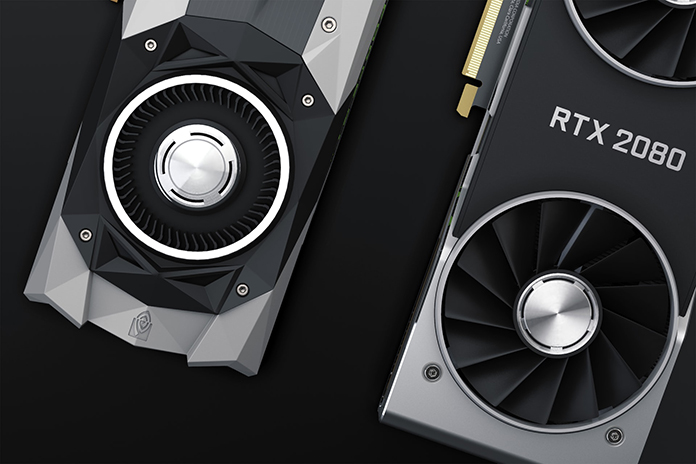
How To Check GPU Temperature: When it comes to Computer tech in the current world, the hardware requirements have increased by many folds and so has the requirements for performance. It has led to the processor becoming smaller in size and higher in performance. But the only downfall to the increasing performance in the hardware is the increased heating issue. No matter what kind of processor or system you use, it will always generate heat and it will increase as the performance and pressure on the processor increases.
The same can also be observed on smartphones as well, which does get heated up when used for gaming or heavy work. That is the time when users normally use a GPU temp monitor, to check the current temperature and make sure that the temperature is within range. The main reason for increased temperature in a system is due to high performance and multiple tasks running at once.
Especially if you have a gaming system, you will have a heating issue, which is normally controlled using a thermal paste, heat sink, or fans and liquid cooling in high-end PC’s. When a PC is built for video editing, gaming, and other heavy work, it causes overheating in the processors. The issue is now controlled in a much better way in the latest processors but was a major issue a decade ago.
As a gamer or someone who uses a PC for the heavier tasks, it is very important for the user to keep a constant eye on the temperature to make sure that the PC does not suffer any kind of internal damage. If you allow overheating the GPU and CPU, it could also lead to damage in motherboard sockets and even crash the harddrive. It is why we have prepared a list of best tools that one can use to monitor the temperature of the GPU and make sure that the PC/Laptop is running without any hiccups.
Below are the Methods to Check the Temperature of Your GPU & CPU
Using the Bios
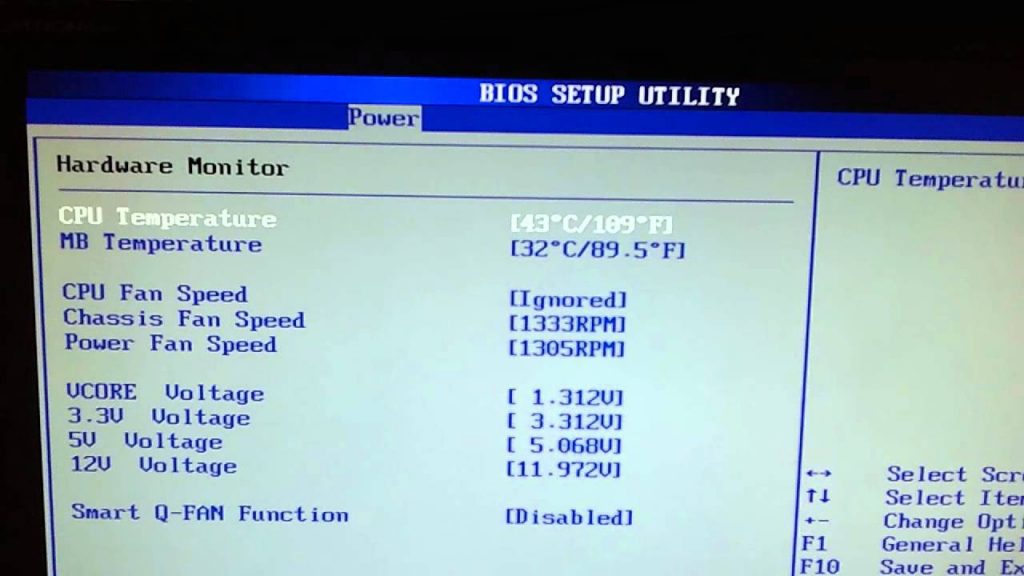
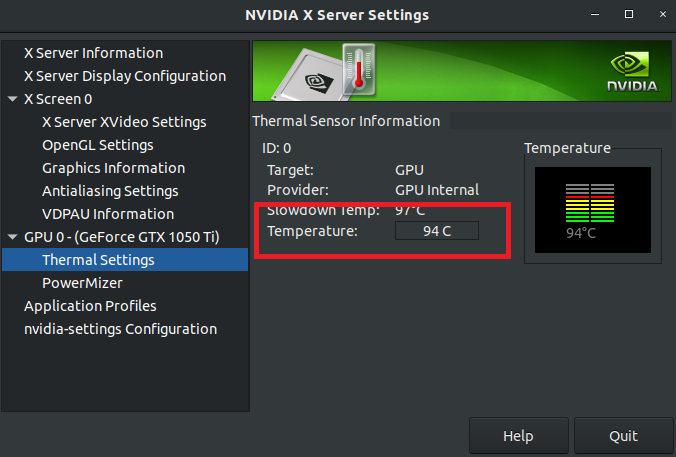
When you want to check GPU temp and are looking for tools to download from the internet, the first option for you should be to check the temperature in BIOS. BIOS is the main program on the computer which helps to boot the computer properly using the harddrive. That is not the only thing it does but it also helps one to monitor the temperature of the GPU. Since the GPU is connected to the motherboard using a dedicated slot. It is used to monitor the health of the graphic card, measure its fan speed, and also the temperature.
One simply has to restart the computer and has to press the Delete or any other dedicated button immediately to open the BIOS settings. BIOS setting is very straightforward and will help you to access all the basic functions on the motherboard and processor. There you can get the accurate temperature reading for both the GPU and CPU as well with the fan speeds. The only major disadvantage to the tool is that it needs a regular restart of the PC, which might not be a feasible option to try.
Utility Software for Graphic Card
No matter which graphic card you buy and install on your PC, you are sure to get the graphic card utility software with it. Be it a graphic card from Nvidia or AMD Radeon, you will have to install their software, which comes in a CD or can be downloaded online. The utility software does multiple things at once.
It allows you to check the fan speed and temperature of the GPU, helps you to customize the screen setting connected to the GPU, provides constant upgrades and updates for the graphic card, and lets you know about any kind of issue that is automatically detected.
However, make sure to go through online tutorials of the utility program to make sure that you are using it properly. Tutorials for the same are easily available on the company website.
GPU and CPU Monitoring Software
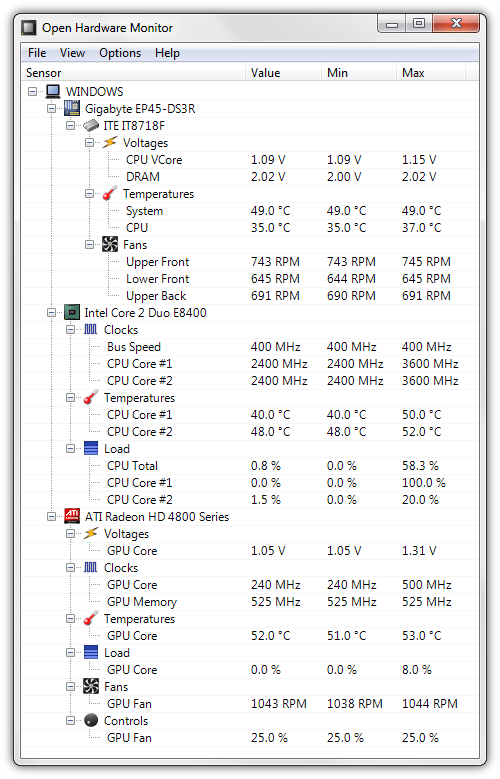
Apart from the utilities that you might find with your graphic card, there are many third-party apps on the internet that you can download and install on your PC. This software will not only tell you about how to check GPU temp but will provide you with details like real-time fan speed and all the information about the entire hardware setup of your system.
Softwares like OpenHardwareMonitor and CPU are some of the most popular and dependable software for the same. This software can easily provide the details about the motherboard and processor configuration, along with the details about CPU and GPU temperature.
you can also get the information about the voltage, the number of processes currently running, and how multiple cores on the CPU are reacting individually. You can also see the RPM speed for every fan that is running in the system.
Temperature Monitoring Tool on Windows
If you are not comfortable with downloading software from the internet which acts as a GPU temperature monitor, then you can also use the Windows own tool that they added to Windows operating system in Windows 10 May 2020 Update.
The tool to monitor GPU temp has been added by Microsoft to give you accurate data about what the current temperature of the GPU is. You simply have to visit the Task Manager by pressing Ctrl + Shift + Esc, by pressing Ctrl + Alt + Delete and selecting “Task Manager”, or by right-clicking on the Windows Start menu icon and selecting “Task Manager”.
Once there, simply go to the Performance tab and look for GPU temperature in the GPU section. The feature is fairly new in Windows and does not require the users to download the software for the same from the internet.
Main Reasons behind Rising GPU Temperature
When the temperature of the GPU, it is basically controlled using the Fans that are inbuilt with it, and with the use of fans on the cabinet which allows hot air to pass out and cool air to come in. With the constant airflow, it becomes easier for the user to maintain the temperature while working on the system. It is not rocket science to understand when the temperature of the GPU will increase, one just need to keep a constant eye on things whenever the GPU does not work properly
One of the major reasons for the GPU to get overheated is constantly heavy gaming. We all know that the games that are developed now are heavy graphic-heavy and require a lot of resources to run. Due to long hours of gaming, it is very obvious that the temperature of the GPU will increase over time. The best thing about GPUs is that they are mostly equipped with strong fans that help them to control the temperature.
Another major factor that often leads to an increase in temperature is the lack of ventilation in the PC. If you have a gaming system then you need to have a bigger cabinet that can hold the big graphic card but still has a lot of space around it. Also, there should be enough vents and fans in the cabinet to make sure that the intake of cold air and the exit of hold air happens properly.
Make sure that the cabinet is placed in an open place and has enough place to let the air pass properly. It would avoid trapping the hot air inside the cabinet and will keep the GPU much cooler and within the appropriate temperature range.
Defective hardware is one of the most common reasons for increasing the temperature of GPU. If the fans on the graphic card are not working properly, it could lead to an increase in temperature, and finally, GPU crashing down. You can simply get it checked with a technician and before then use the GPU temperature tool to check the fan speed. Also if you face the same issue with the CPU fan, then simply replace it with a better CPU fan.
Conclusion: How To Check GPU Temperature
So here are a few tools that can help you on how to see GPU temp. These tools are the best way to make sure that your hardware components are working properly. Also, keep in mind the reasons due to which the issue can happen and make sure to avoid them.
The three major things that you always need to keep in mind is that the cabinet should be spacious, there should be enough ventilation, and do not keep your cabinet in a place where there is less space for the air to escape. Also, make sure to regularly clean the dust off the fans and vents to keep them clear.
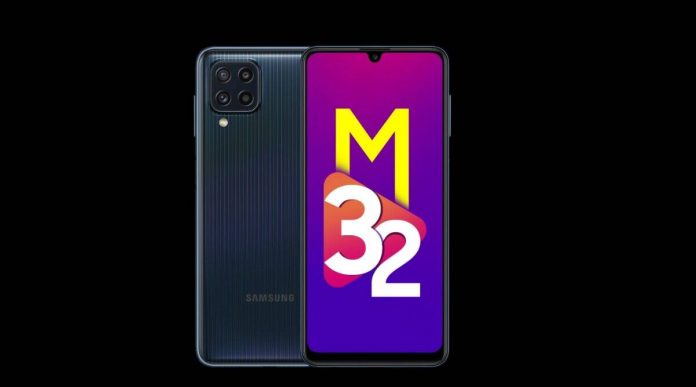
Samsung has finally launched its new smartphone in the Indian market, which is the Galaxy M32. The phone is an addition to the affordable category that Samsung has been offering in the Indian market. The phone has taken a lot of inspiration from Galaxy M62 when it comes to physical design. The phone is the successor to Galaxy M31 and brings in a lot of new changes. The phone will come with a large 6.4-inch FHD AMOLED screen which will provide a maximum brightness of 800 nits and will also have a 90Hz refresh rate.
This time Samsung has opted for a MediaTek processor which most of the budget category phones are using right now. The phone is powered by Mediatek Helio G80 which provides a great performance on budget devices. The phone will also pack up to 6GB of RAM and 128GB of flash storage. It will also come with a MicroSD slot to expand the memory of the phone. The battery capacity will be 6,000 mAh and will also have 15W fast charging support for the same.
One of the major upgrades to the phone is the quad-camera setup on the rear with a 64MP primary sensor and 20MP snapper in the front for selfies. The phone has been launched with Android 11 out of the box and a headphone jack as well. The phone is priced at Rs 14,999 for 4GB/64GB and Rs 16,999 for 6GB/128GB. It will be available for sale on June 28 on Samsung’s official website and Amazon.
Cyberpunk 2077 was one of the most anticipated games of the year 2020 and had a lot of hype built around it before it was released. Although the launch of the game was delayed several times, it was eagerly awaited by gamers all over the world. However, as soon as the game was launched, it took a great fall both in terms of user experience and performance. The game was laggy on previous generation consoles and had a lot of performance issues even on the latest generation of consoles.
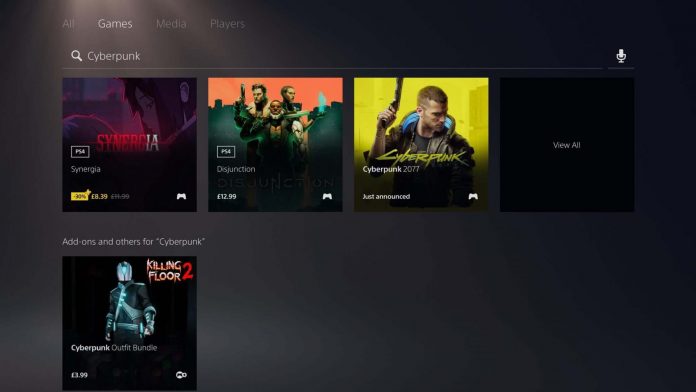
The game looked completely different from what it was promised or showcased before the release. Due to this, Sony had to remove the game from the Playstation Store. However, after months, Sony has finally restored the game for purchase on the Playstation Store, which has been updated with months of fixes and patches. However, the game developers state that the game will receive more fixes and patches through this year. Although the game is now available to purchase, Sonly has already warned the customers that they should not buy the game if they are using consoles like Playstation 4S or a base Playstation 4.
The game will only continue to provide decent performance in Playstation 5 or Playstation 4 Pro. The PC version of the game has currently been offered to the customers at a discount while the console version has been listed at the full price. Although the game has been updated for previous generation consoles, the users should not expect a drastic change in the game performance on older consoles.
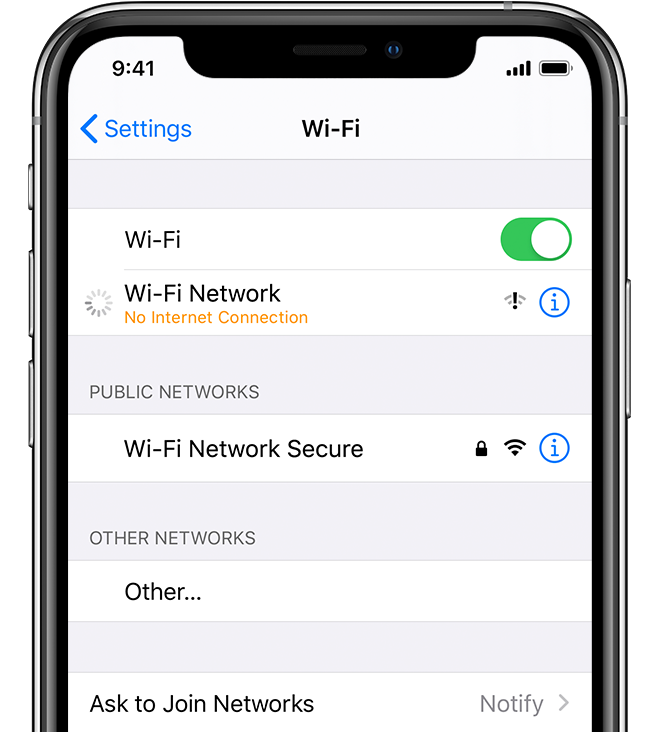
There have been specific bugs in the iOS on a regular basis that are either detected by Apple themselves or other experts outside Apple. One such bug in iOS has been discovered by Security researcher Carl Schou where the iPhone can lose its ability to connect to a Wi-FI network when it is previously connected to a hotspot with a specific name. In this case, a personal hotspot was created by the researcher Carl Schou and was given a name with special characters %p%s%s%s%s%n.
Once he tried to connect the phone to the smartphone network, he was unable to do so, and not only that it also disabled the capability of the iPhone to connect with any Wi-Fi network. The issue continued even after the phone was restarted and was also tested by others, leading to the same result. The issue only seems to be with the iPhone and not with any other Android device. Therefore, the issue is specifically with Apple devices only.
As per the other researchers, the issue is due to the iOS misinterpretation of the format in the Wi-Fi name. However, the issue seems to be resolved soon after the network settings on iOS are refreshed or reset. Similar issues have popped up in the past with the messaging services in iOS where the text format is not properly interpreted by the software. However, the issues only seem to affect a small group of people and such a name for hotspot has the least probability to be used.