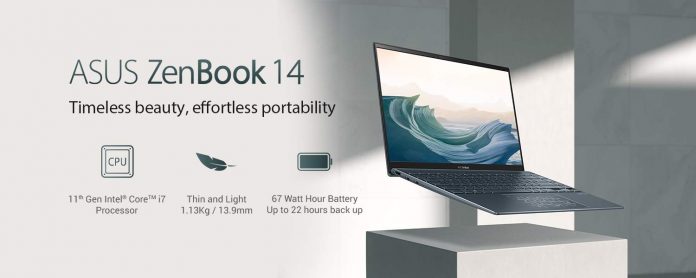
Asus has released a new model in the Zenbook series, called the Zenbook 14. The 2020 model is one of the initial laptops that has been launched with 11th Gen Intel Tiger Lake processors and the revolutionary Intel Xe graphics. The company has already released the same model previously with the AMD processors. The only difference between the two is the use of Intel and AMD processors. Apart from that the design and other specs are completely the same. The new 11th Gen processors not only provides more CPU power but also a lot of GPU power to the new chipset.
Intel has confirmed that the new Tiger Lake-based processors will be much stronger and will be much better at multitasking than before. The new Zenbook 14 with Intel hardware weighs only 1.13 kg and is 13.9 mm thin, but uniquely for such an ultrathin design, they offer comprehensive I/O capabilities, including full-size HDMI and USB Type-A ports in addition to Thunderbolt™ 4 USB-C® and a microSD card reader. It has also become the thinnest 14 inches, comprehensive and versatile connectivity. It is currently on offer in two different colors, Pine Grey and Lilac Mist.
The laptop will provide 21 hours of battery life, using a 4 cell battery which works are 67 Watt and can be charged using a USB C cable type. The configuration includes Intel Core i5-1135G7 Processor 2.4 GHz (8M Cache, up to 4.2 GHz, 4 cores) with 8GB RAM & 512GB NVMe SSD variant that costs ₹ 83,247. For the i7 models, the specs are Intel Core i7-1165G7 Processor 2.8 GHz (12M Cache, up to 4.7 GHz, 4 cores) with 16GB RAM & 512GB NVMe SSD variant that costs ₹ 97,291.
It might happen that you come across a video on Youtube that you might like, and want to share the same experience with your friends and family. However, when they are in a different location, there is no way of watching the video together at the same time. However, there are ways and tools that can help you watch Youtube videos remotely with friends and family.
This is specifically a great way to spend time with your loved one in the time of the pandemic and lockdown. The technique will work regardless of the device you are using as the only requirement for this is a web browser. Just follow the steps below and you will be able to share and watch the Youtube videos together with your friends and family.
Visit the website Watch2gether.com and select the “Create Your Room” option. It will create a virtual room for you and your friends to watch the video together.
You will be able to see the default list of Youtube videos to watch here, which can be changed using the gear icon on the top right. Clicking on it will give you the option of managing a playlist, where you can create a new playlist as well.
Now use the search bar on the top to search for any youtube videos and add them to the playlist. Also, you can go to Youtube.com, copy the link of the video, and paste them in the search bar of your account to add the video to the playlist.
Now you simply need to invite people, by clicking on the plus icon on the bottom right, which will give you a link, which can be shared on any platform with other users. The same area also has a camera icon, in case you want to share your video and audio, allowing you to video chat.
Clicking on that link will take users to your virtual room where you can watch videos together. It will allow you to share your experience and favorite videos with everyone.
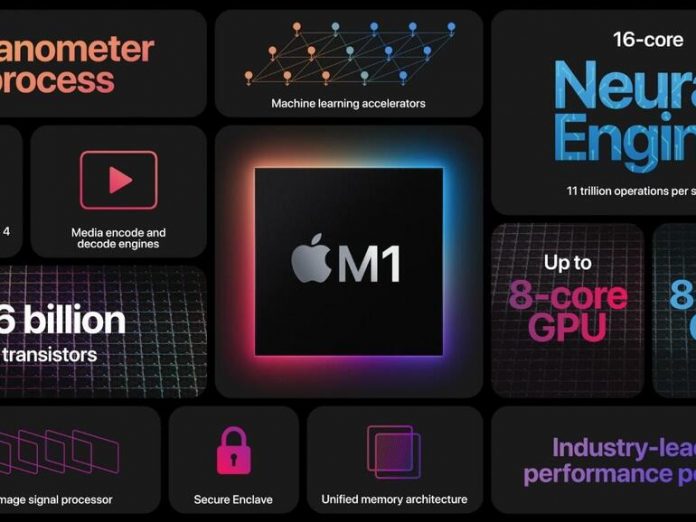
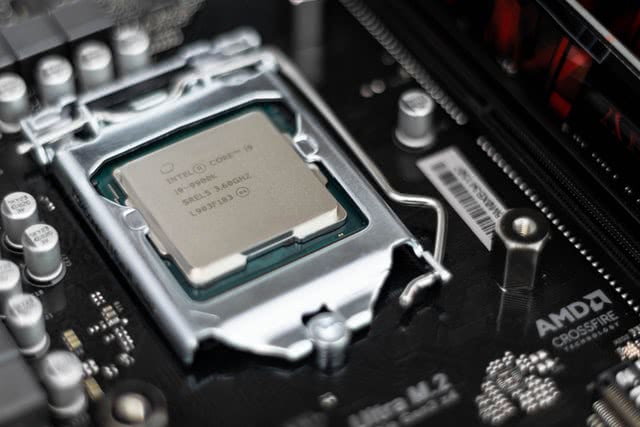
With the Apple event on November 10, the company finally brought its new M1 chipset into the market which will be powering up their new lineup of Macbooks. This brings the ARM architecture to the Mac with improved performance and energy efficiency. While the company claims that the new M1 chipset can provide much more power and performance than the Intel-based Macbook, a benchmark test reveals that Macbook Air with the new M1 chipset can easily beat the Macbook Pro 16-inch model with Intel processors.
The results do seem to surprise all as the new M1 chipset can easily beat down any Intel-powered machine in this sense. As per the analysis that was done by other tech experts the new M1 chipset could have the potential to become the fastest laptop CPU in the market. Also, MacBook Air with M1 chip scored 1687 in single-core and 7433 in multi-core tests. When you compare it with Intel, the higher-end 16-inch MacBook Pro model with an Intel Core i9 processor scores 1096 single-core and 6870 multi-core.
This shows that the performance of the M1 chipset is much more powerful than the Core i9 chipset from Intel. Also, the M1 chipset has a base frequency of 3.2 GHz while the Core i9 has a 2.3 GHz base frequency with a turbo boost to 4.8GHz. The new M1 chipset will be updated for all the Mac models this week, which would include the MacBook Air, 13-inch MacBook Pro, and Mac mini. However, the performance from the first-ever M1 chip does show a great future for Apple chip powered Macbooks.
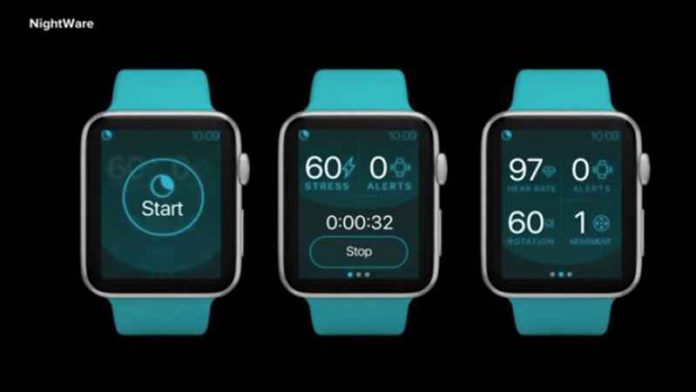
After the release of the Apple Watch 6, one thing was clear that Apple is trying to add new features to its watch which are unique and make the device a better healthcare gadget. One such feature in the Apple Watch 6 is what helps to deal with nightmare-related sleep issues. The FDA has given a green signal for the sale of NightWare, an Apple Watch app that comes with a corresponding iPhone element and can help treat nightmares stemming from psychological disorders like PTSD.
The app uses motion sensors and heart rate data to detect if you are having nightmares and makes the Apple Watch vibrate in response to interrupt the dream, but not wake you up. The app will be based on prescription-only use and the company has already made it clear that it is not a standalone treatment for PTSD. Apple has also made it clear that this app can only be used when prescribed by the doctor and should not be used as therapy if users act out due to a nightmare in sleep.
The NightWare app page is also looking for volunteers to be a part of the test to make the app better, which is selected based on the surveys filled by them. FDA has already stated that there is no guarantee that the app will work however, it could further improve the sleep quality of the users. The app does make a new direction to improve on and can be used by more people in the future for therapy.
Have you ever questioned yourself that “why is my laptop/computer so slow?“.
Old laptops running slow is a very common problem faced by most users. But it does not mean that you have to replace it, there is a possible fix for almost all slow laptops out there. It is a very common issue in older laptops as they seem to get slower with time. Your old laptop is slow if you have Windows 10 on it with older hardware configuration.
Choose your Operating System like Windows 8 or lower versions depending on the Laptop Hardware. You will never face the same issue with a new laptop, but with time, even the new laptop tends to get slower after a couple of years. Depending on the life-cycle of a laptop, restoring it to its original performance can be overwhelming, especially for those who do not have any technical knowledge on how to deal with it.
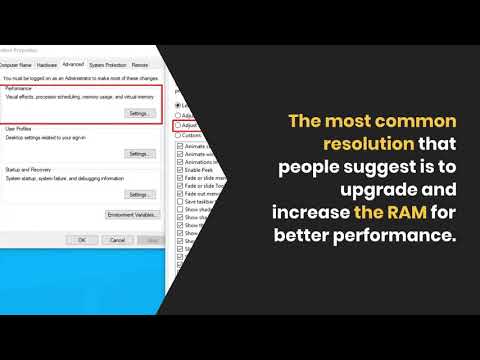
The most common resolution that people suggest is to upgrade and increase the RAM for better performance. However, it is doubtful that an old laptop will restore to the original performance just with increased RAM. To improve your old laptop’s performance, one would need quick speed boosts and certain tweaks in the hardware and software.
The problem of the laptop running very slow mainly arises when the hardware ages with time and the software updates tend to become more demanding on the system. Since our laptop has tons of files and programs, it is very common to forget to clean it up regularly. Let’s look at some of the few tips and tricks that will improve your old laptops’ performance, without the need to replace it.
Uninstall unused software
Unused software takes a lot of space on the hard drive and often consumes a lot of memory to run in the background. Although not in use, some software keeps using the RAM to run in the background.
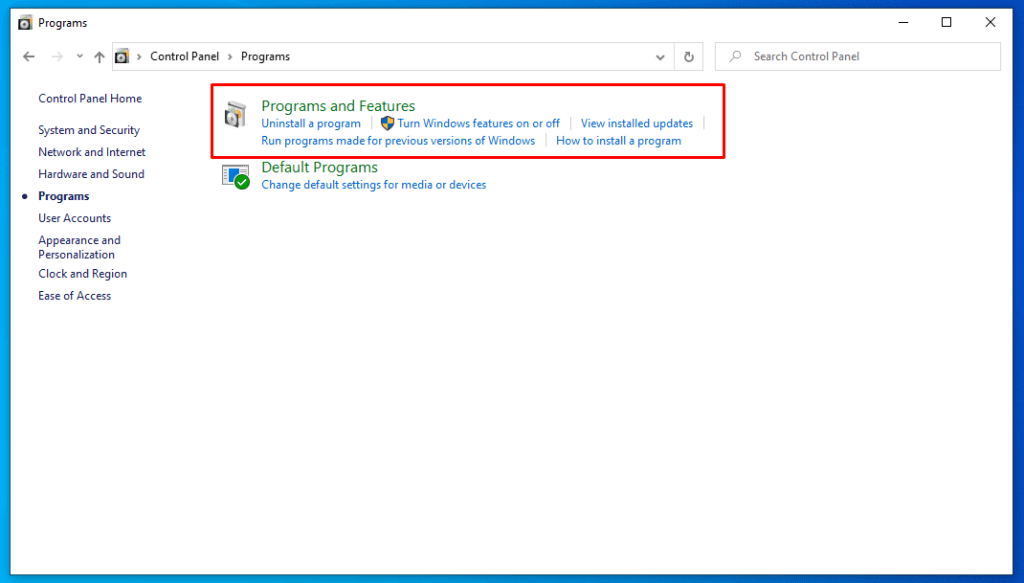
Since it takes up the resources from memory, less memory is available for other programs to run. It is one of the main reasons why your laptop slows down. One can go to the Control Panel > Programs > Uninstall a program. Once the user has the list of programs installed on the system, they can select to remove any software that they are not using or is not of use anymore. Doing so will free up the RAM, which was earlier used by the software in the background, making it much faster.
Limit the Startup programs
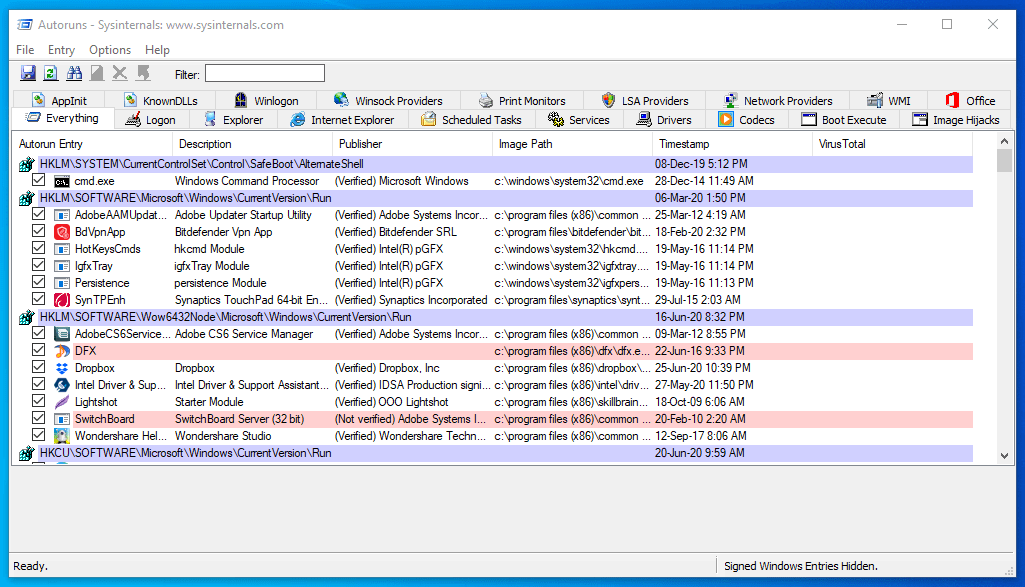
Many software initiates as soon as your Windows operating system starts. Due to this, the RAM or memory on the system gets pre-consumed with these applications, making the system slower to start and load. It eventually increases with time when you install new software that runs on the startup. To resolve this issue, download the AutoRun software from the official Microsoft website, which allows you to disable the startup program on Windows.
Decrease the visual effect
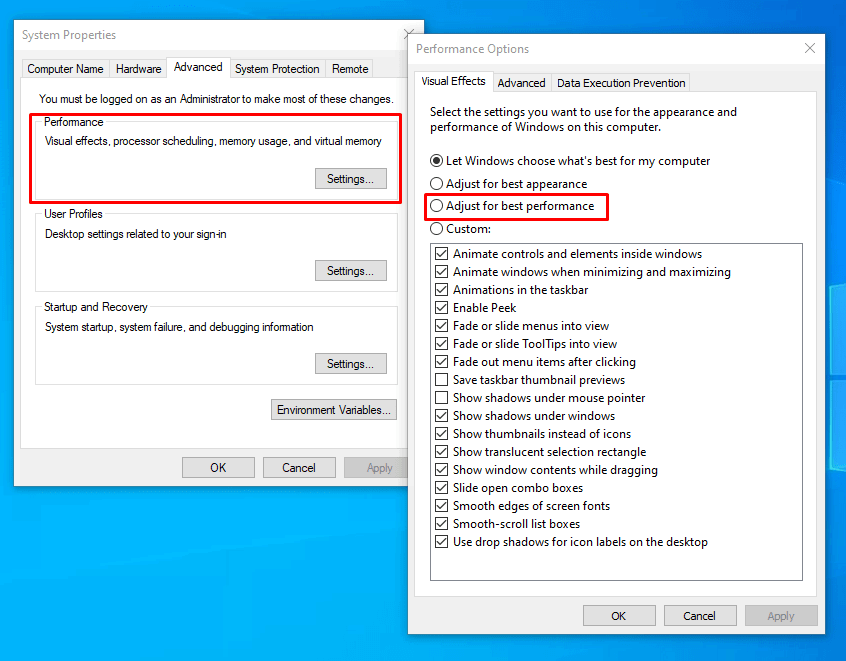
Visual effects take a lot of memory to run as they are heavier and require smooth transitions. The better the visuals on your operating system, the higher RAM it will consume and slower your system will be. So, it’s a choice between looking prettier or running faster. Decreasing the visual effects on the operating system would automatically increase the system speed. Go to the control panel through the Windows Start button. In the search box, type Performance Information and Tools and select when it appears in search results. Now select change the setting for visual effects and change to the best performance.
Check for viruses, bloatware, and spyware.
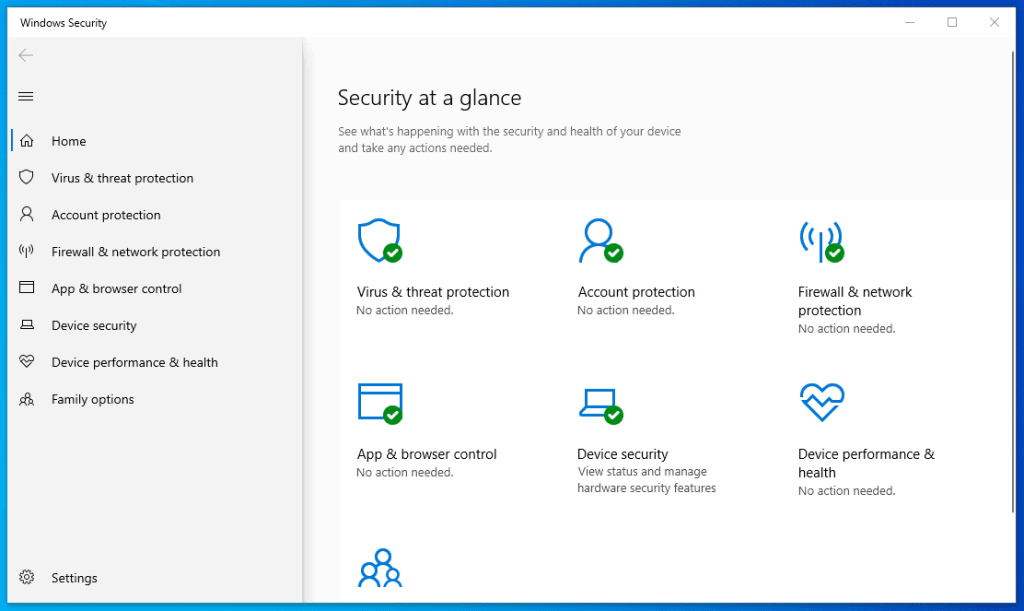
It’s not only your old laptop, but even a new system could also easily slow down due to viruses and spyware. It usually happens when installing a new program or software without verifying its authenticity or installing pirated software. A user can detect it using the antivirus software or the Windows Defender program. Run regular checks to detect and remove them.
Update your hardware
If you have done all the above and still could not notice any remarkable results, then the best option would be to upgrade the hard drive to SSD and increase the RAM. It would increase the speed of your system by a lot.
These are some of the few things that one can do to increase their old laptops’ speed. Apart from these tips, one can regularly scan their systems for any virus and malware. Also, downloading and installing only authentic and purchased software would make things a lot safer for the system and maintain its performance. We believe these main tips will help the laptop running slow into a faster one.
Vivo has been working on a new mobile OS for a long time now and they have finally confirmed that it is the OriginOS. The new OS will be replacing the old OS named FunTouch OS. The new user interface is expected to launch on November 18, at a special online event, which is due to be held in Shenzhen, China. The new OS comes with an anthropomorphic design, which is designed to give a completely new experience to the user.
Before the Origin OS, FunTouch OS has been a great UI for Vivo phones and has provided great features and UI improvements. However, with the new Origin OS, the company carries a new tagline called “Brave New World“. The new Original OS will be offering two different types of interface for the users, OriginOS and Stock Android. The new UI will allow the users to switch between the two interfaces as per their choice. Apart from this, the company can be launching new apps, games, business partnerships, and more.
It will not only be installed on new devices but will also be provided as a new update to devices running the older version of UI. For now, we will have to wait for any new Vivo device to launch as they all will be coming with the new OS, which would help us to understand more about the UI features and performance. The initial rollout of the new UI is expected to happen in China first after which it will be rolled out in other countries.
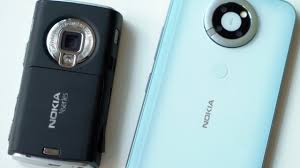
For those who have used Nokia smartphones at the age when Android was not available and all the features of Nokia smartphones were available on Symbian OS, understand the value those phones had at that time. One of the most popular handsets of that time was the Nokia N95. Occasionally Nokia revamps their old lineup of phones and brings out a new version of the same to live back the feeling of nostalgia, which is very popular among Nokia fans.
Now, the company will be rebooting the classic N95 models into the new-age shape of an android smartphone and will have some killer media features. One of the premium features of the old N95 was the sliding speakers. The phone will not carry forward the same slider, but a different one with a different mechanism. The new prototype was shown by Michael Fisher aka MrMobile. This time, the slide exposes a powerful set of speakers, including a front-facing camera and LED flash.
At the rear, the camera panel has a ring that could be used as a stand and a beautiful screen for better viewing angles and quality. The reboot prototype of the Nokia N95 does seem to be pretty cool and will bring in an entirely new design formula for their new range of rebooted smartphones. It is expected that the phone will be launched next year as the prototype model is being tested and will come with a lot of new features and optimization in the new model.
OnePlus has recently released Oxygen OS 11.0.1.1 for multiple OnePlus devices with new optimizations and features however, it did not turn out to be what it was meant to. Soon after the update was released, OnePlus users started facing an issue where the smartphones started crashing down. Also, some users reported that all data on OnePlus 8 and 8 Pro phones are getting deleted after the update. As soon as the new update is installed on the phone, it restarts and starts as a completely new phone.
For all the other OnePlus users who have not yet installed the update, it is recommended that they should have a backup of their data beforehand. As per the official statement from the employee at OnePlus, “It seems like some users are reporting receiving the Stable update over the Open Beta 3, leading to a full data wipe. This information was already shared with the software team so it can be checked and addressed. Meanwhile, if you receive an update OTA, please double-confirm if it’s an Open Beta update.
If it isn’t, please DO NOT install it. We strongly suggest you backup your key data via a cloud service, perform a full backup via OnePlus Switch, and transfer it to a computer or a USB drive for double insurance.” It has also been recommended for the users to switch off auto-update for the OnePlus smartphone to avoid any accidental update of the phone. The company is already working on the issue and will soon provide a fix for the same.
When it comes to the smartphone operating system, there is no doubt that Android takes the number one spot. Due to the same reason, the number of Android apps on the Play Store has been increasing. Apart from third-party apps, Google has been promoting their own apps as one of the primary tools and apps for everything. The default Google apps have always been the preference of the users due to the seamless integration with the Android operating system.
Similarly, the management app from Google, Google One is one of the latest and popular applications from Google that has passed 100 million installs now. Before that, only Youtube Studio and Google Classroom have been able to achieve a feat like that. Google One provides a paid subscription that includes more cloud storage, direct customer support, credits for Play Store, and a lot more exclusive benefits. The App also comes pre-installed on a lot of devices due to which the download number has increased by a significant bit.
However, it is primarily used for subscription management and customer support, though it recently added a VPN feature. Also, the recent addition of new features and the features that are currently in development for Google One subscription has also made users install the application and subscribe to the services. The major increase in the downloads was also noticed during the time of pandemic when users were mostly working from home and using more and more cloud storage to share their work across locations.
If you are into Micro-Blogging, then you must have been following people on Twitter, which is one of the biggest Micro-Blogging platforms. While using the Twitter account for a long time, it is possible that it might be filled with numerous Tweets, replies, and retweets on your account. However, when it comes to removing all the content from the Twitter account it is not an easy task.
For most users, it is a process where you will have to remove them one by one. However, there is a way through which you can remove all the Tweets, retweets, and replies at once. It’s a good technique when you have a lot of old tweets and want to remove all at once. Let’s have a look at how this can be done efficiently.
Visit the website Tweetdelete.net and select “Sign in with Twitter”. On the next page, you will have to authorize the website to take access to your account in order to remove the old tweets. The access can be removed later.
The next page will ask you to fill up some details like the age of tweets that you want to delete, Tweets that need to be deleted with a specific word or phrase and how often do you want to run this task.
Now click on “Delete My Tweets” and it will show you the live progress, completion of which will remove all the tweets from your account.
Now login to your Twitter account on Twitter.com and click on the More option in the left sidebar menu. Select “Settings and Privacy”>> Data and Permission>>Apps and Sessions. Here you will be able to see the name of the website Tweetdelete.net. Select the option and click on Revoke Access to deny any access to your account.
Now you will be able to use the Twitter account without any old tweets and start as a fresh account. It can be used to clear the account completely or just partially based on choices.