Home Blog Page 215

Google is soon coming up with a phone backup tool for iOS

0
Image Credit: Finance.yahoo.com

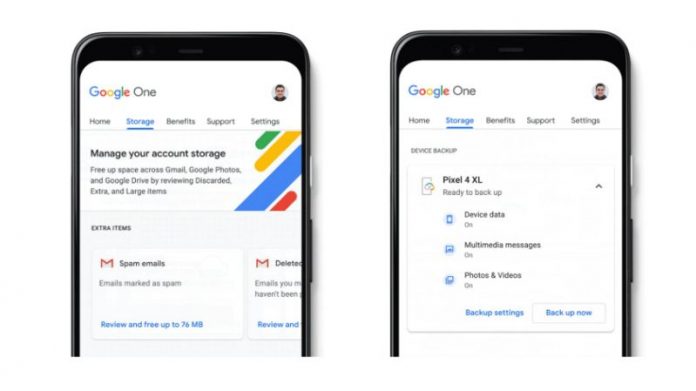
Google has been integrating a lot of cloud technology features into its android operating system. It is why they added automatic android backup to Google one last year. They also offered the membership program that included cloud storage on Google drive, family sharing, and many more features. By integrating these services with Android, the user got more reliability from Android phones as automatic backups would always keep their phone data safe. Google has now come up with a new announcement for both Android and iOS users. 

The iOS users will be getting the same set of Google backup services, and it will be completely free for both the Android and iOS users from now on. The free users will be getting 15GB of drive storage shared between different Google services like Gmail, Photos, and phone backups. For iOS users, they can download the Google One app and use it to back up their phone’s data. Although 15GB is less to take a device’s backup, you can always expand the storage by paying an extra amount. When it comes to iOS users, Apple also provides them with 5GB of free iCloud storage, and one has to pay more for any extra storage requirements. 

However, Google backup services and storage seem to come at a very cheap rate compared to Apple. A user can purchase Google one membership for $2 and get 100GB of space, shared with five family members. Additionally, you have customer support and various other features to try out. Having a second backup plan is always a good idea, and especially if you are getting it from a company like Google. Google expects a lot of iOS users to enroll for their services after it is made available for iOS users in the future.
Google wants to get rid of Samsung’s app store Bixby

0
Image Credit: mobilesyrup.com

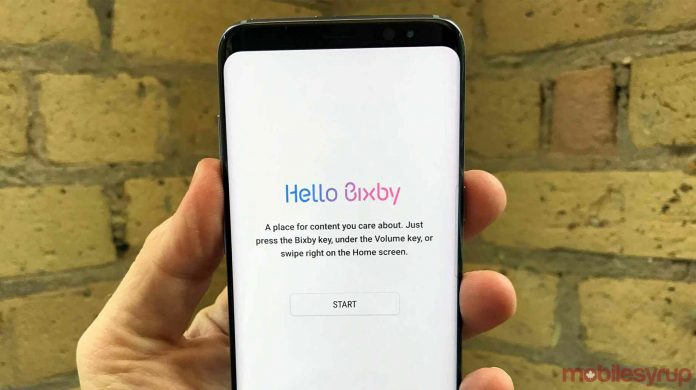
Samsung has been one of the major Android smartphone manufacturers for a long time and has been running an app store of its own, called Bixby, for a long time. Samsung often suggests its users download the application for Bixby’s smartphone, which might not be good news for Google. Therefore, Google wants Samsung to close Bixby and promote Google apps instead. Both Reuters and Bloomberg reported the correspondence between the two companies. Google has been trying to influence Samsung to promote its Play Store and Google Assistant, over Samsung’s Galaxy app store and Bixby assistant. 

To make this change, Google is offering Samsung a bit of money. Also, Google is sharing the revenue with phone manufacturers, that is coming from the Play Store and ad revenue. Based on the offer, Samsung is considering closing Bixby from the Galaxy store from their devices, as they will be paid a higher share than before.

Since the launch of Bixby in 2017, the company has been trying to promote it with similar services to offer, like Siri, Google Assistant, etc. However, it has not been as successful as the company expected. Since voice assistants are the primary interface for the search engine, Google is keen to occupy the market and take over any other types of voice assistants available in the market. 

Samsung has tried to launch smart speakers with Bixby’s assistant in 2018. However, the product did not taste success and is nowhere to be seen. As per Bloomberg, Samsung is going through losses and lack of revenue due to the pandemic, due to which they are looking for extra revenue that Google agrees to pay if they close Bixby. It seems that both the companies will come to terms and see the end of Bixby from there onwards. If it happens, we can see the upcoming launch changes on the Samsung Galaxy S20 series device.

How Chromecast reset button speaks of reliability

0
Image credit: theverge.com

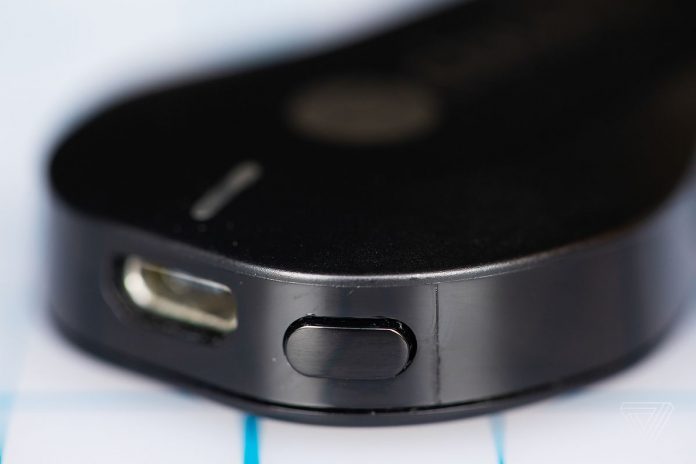
Chromecast has been one of the first and most popular devices that are completely run on software. Therefore, every functionality that the device provides is coming from the software. The device does bring out a change in how hardware or device can be entirely dependent on the software to run and function. However, the device does come with a reset button, which is the only physical button.

The button allows the users to factory reset the device if the software settings are not allowing the user to cast the content on the screen. The presence of a reset button on Chromecast shows the importance of a hard physical button and its reliability over software solutions. One has to understand that there is no way of accessing or resetting the device without any physical buttons in case it does not work properly. 

It’s not that the presence of a rest button on Chromecast will lead to its regular usage. Any Chromecast user hardly uses it as the software on the device sets up everything during the first use, so that the setting works the same way in the future. However, this reset button’s presence is an assurance to the user that if everything fails, the reset button can be used to bring back factory settings and make the device work like new.

It does not matter which version of Chromecast you buy; it will always have the reset button. The button provides reliability as protective actions, and the users can be assured that no matter the software problem, this one-button will restore the device. It is why Google always has an emphasis on adding the physical button for its reliability.

PS5 reveals a new feature which can beat Xbox Series

0
Image Credit: usglbnews.com

Playstation and Xbox have been the main competitors when it comes to gaming consoles, and both of them have a dedicated community of millions of users. There has always been a spec war between both to show that they have a better console, and both the companies leave no inch to add features to their gaming machine.

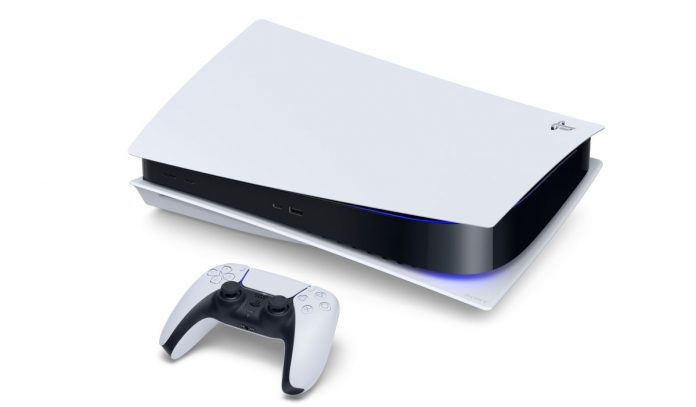
Recently, Sony launched its next-generation Playstation 5 console digitally, which provided better hardware and performance than the last generation. However, it was expected that the new Xbox console would be much more powerful than what Playstation is offering, giving them an advantage in the competition.

But it seems that Sony has many tricks up its sleeves and is revealing it slowly. One such detail given through a leak was the PS5  ability to let the jump to any part of the game, straight from the menu. Gematsucon leaked the feature on Twitter (via TechRadar), who cites a now-offline preview of WRC 9 by Gamereactor that mentions the feature.

As per the details, Playstation 5 allowed the users to enter race directly from the menu instead of entering the game and selecting the race. The console provides instant links to specific race tracks and even directly from the menu. The feature seems to be an extension of the instant resume feature on the Playstation 4. 

The PS5’s hardware is expected to bring out some new and unique features which have not been fully revealed yet. However, some features like the DualSense controller and 3D audio compatibility have already made people excited about the type of engagement value the console will provide. The Playstation 5 is expected to go on sale in November this year, which is the same time we will see the new Xbox console launch.

Images leaked for Samsung Galaxy Z Fold 2

0
Image credit: xda-developers.com

Samsung Galaxy Fold was one of the most anticipated phones in the smartphone arena. It was the phone that introduced the world to a good foldable screen smartphone. Although the smartphone was first of its kind, it did face a few anticipated issues for the new technology used in it. However, Samsung has always been open to feedback and did whatever they can to resolve the issues users were facing.

The launch of Samsung Galaxy Z fold also provides customers a lot of expectation from the second version of the phone, which was expected to overcome all the drawbacks of the previous generation and be a perfect pack of unique features. 

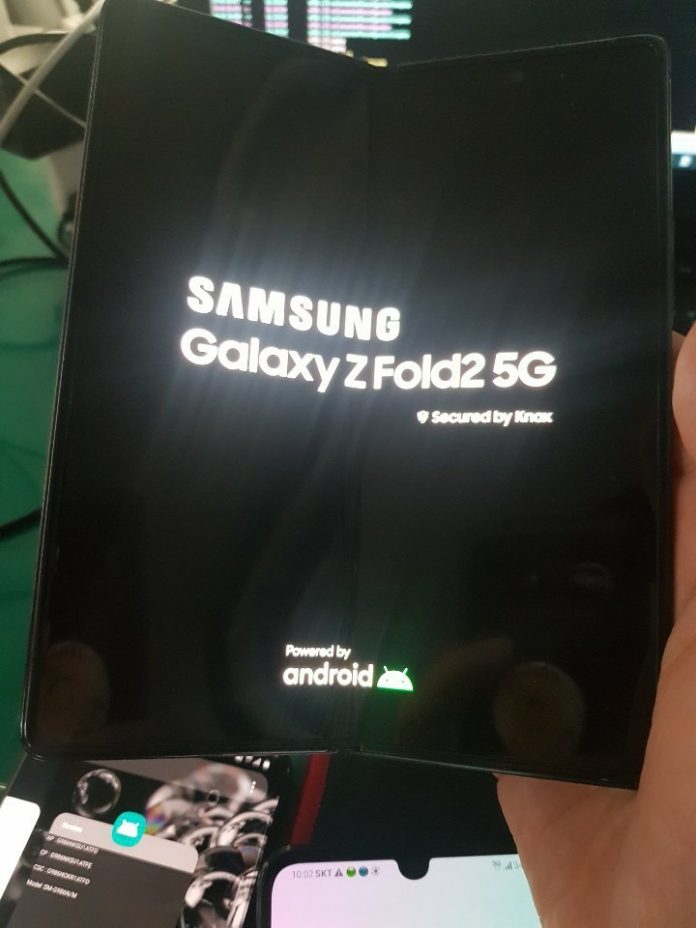
Although Samsung has made no official announcement, the leaked images of Samsung Galaxy Z Fold 2 have appeared online. What can be easily observed from the images is the hole punch cutout for the selfie camera on the internal screen, which has been placed on the side of the display. The phone is expected to come equipped with a Snapdragon 865+ processor and a 7.7-inch massive main display with a refresh rate of 120Hz.

The screen would also come with Ultra-thin glass technology. The phone is said to come with a triple-camera setup, a 12MP main sensor, 12MP ultra-wide-angle lens, and a 64MP telephoto lens. The phone will also come with a 6.23-inch cover display, a 4365 mAh battery, and a 25W fast charging

The phone will have super-fast performance and have the customer UI from Samsung, based on Android. An image was also leaked before, showing the phone in a Mystic Bronze color unique in looks and color. There is no official announcement on when the phone will be launched. However, people expect Samsung to make some announcements regarding it on August 5, in their annual event.

Spotify Desktop app now works with Chromecast

0

As per the latest reports from 9to5Google, Spotify Mac and Windows application can now directly stream to Chromecast devices. Before these changes, they could control pre-existing Chromecast streams, but they couldn’t start them directly. One had to start a Chromecast stream on iOS or Android before it could be controlled through the desktop app using Spotify Connect.

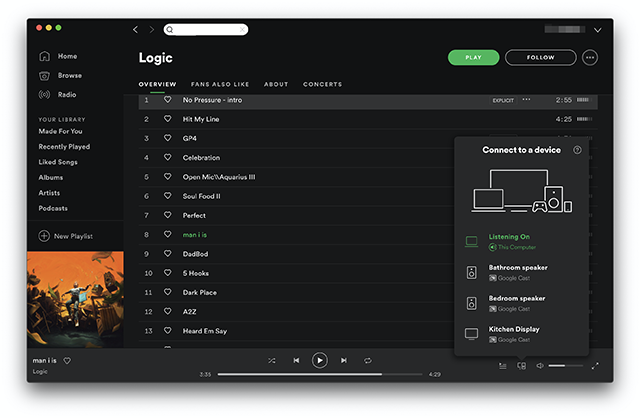
The user can also start a Chromecast stream on the desktop app in the same way as Spotify Connect Stream, by clicking on the “Devices Available” button. You can switch between streaming devices, which now also contains the Google Cast option and the Spotify connect enabled speakers.

Spotify Desktop now works with Chromecast

The new options will be available in the desktop app for Spotify with version number 1.1.38. The feature was long-awaited and was requested by many users. The request started coming for the feature since 2015, but users did not get the options even after many updates. However, the feature has been added and is a great addition for Chromecast users, who also use Spotify through the desktop app.

The feature can be used in both Windows and Mac operating systems and is smooth to connect and setup. The company has already released an update for the software. Therefore, if you have still not updated the software, you will not be able to use it. Once you update the software, you will have the option of Google cast for streaming. With this, any device having the Google Chromecast function can be used with the Spotify desktop app.

Source code from Microsoft, Adobe, and Lenovo’s Repositories leaked online

0
Image Credit : Bleepingcomputer.com

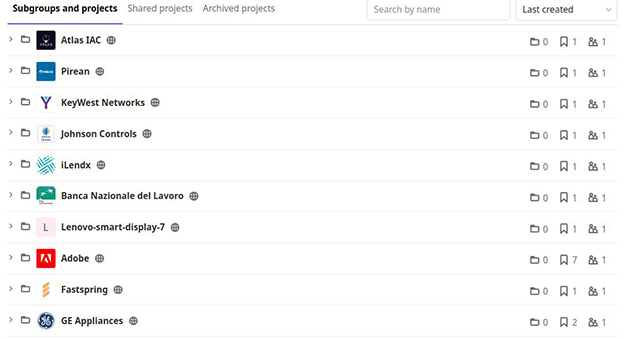
As per a recent leak, the operator of a public repository on GitLab has uploaded a treasure trove of source code from dozens of high-profile companies across tech, retail, finance, e-commerce, etc. sectors. The data was compiled in the repository by Tillie Kottmann. The leaked code was found to be from various resources and found by Kottmann while looking for misconfigured DevOps tools.

As per the cybersecurity researcher @Bank_Security, it has been found that more than 50 companies are published in the repository. Some folders in the repository are said to contain some important credentials. Some of the companies whose data was found in the repository were Microsoft, Adobe, Lenovo, AMD, Qualcomm, Motorola, Huawei Hisilicon, Mediatek, GE Appliances, Nintendo, Roblox, Disney and more. 

However, Kottmann now claims that the hardcoded credentials have been removed. As per a statement released by him, “I try to do my best to prevent any major things resulting directly from my releases“. He has even confirmed that all the details will be shared with the affected companies if requested in the future. Also, they assured that any such takedown request will always be accepted.

Reports also suggest that some of the Kottmann’s repo projects were made public by their original developers themselves, while others were last updated a long time ago. There are no details regarding how many details have been leaked, but more information will surely come about it. Until then, the companies should have a look at their security structure regarding this leak.

Adobe Photoshop for iPad gets feature from desktop version

0
Image Credit: 9to5mac.com

Adobe Photoshop is one of the most powerful photo editing tools in the world. After it was specifically launched for Apple iPad a few months back, it has started updating it with key features from the desktop version. Since its launch, the Adobe Photoshop for iPad was criticized for being just a basic version, which was not as powerful as the desktop version, when it comes to editing pictures and images.

However, Adobe did listen to the user feedback and is all set to add a whole new set of features that is available in the desktop version as well. 

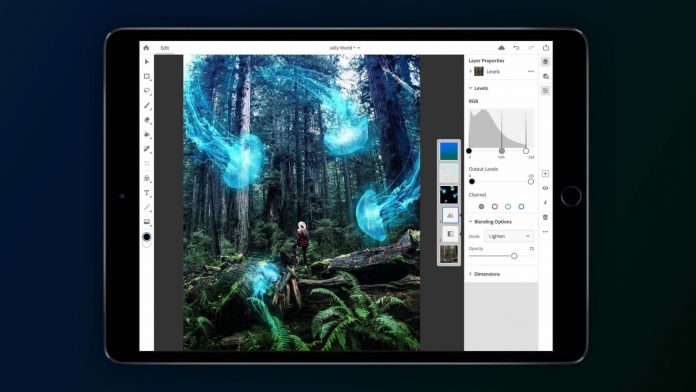
Adobe has announced to bring a new feature to Adobe Photoshop on the iPad, which is also present in the desktop version. After this feature, the user will select fine, troublesome objects like hair, fur, and other tricky materials. The newly added Refine Edge Brush enables Photoshop users on iPad to select subjects and objects in images with a high state of precision on heavy elements.

Items such as strands of hair flying around in the wind, the fuzzy fur on cats or rabbits, the fine feathers on a bird, a shaggy dog tail, and frizzy human hair can be easily selected.

The tool’s functionality has been revamped for iPad so that the tools can be easily used on the iPad as it is easy to use on a PC or Mac. The tool will work in a similar to the desktop version, making it easier for the users to use it. They have also added the feature to rotate the canvas using two fingers on the touchscreen. The same gesture can be used to zoom in and out of the image. As per Adobe, there are many more features that will be added to the app in the future to utilize the processing power of an iPad.

New Motorola Razr 2020 designs leaked

0
Image Credit: phonearena.com

Moto Razr is one of the most premium phone models that has been in existence for a long time. The MotoRazr series has been one of the most successful for the company. A few months back, Motorola released their Motorola Razr, which was based on a sleek flip design format, which is very similar to the Motorola Razr V3, which was released more than a decade back. The new Motorola Razr is a folding-screen phone that offers the same flap-fold design and beautiful body. The higher price and the phone’s premium looks made it one of the best premium offerings in the market. 

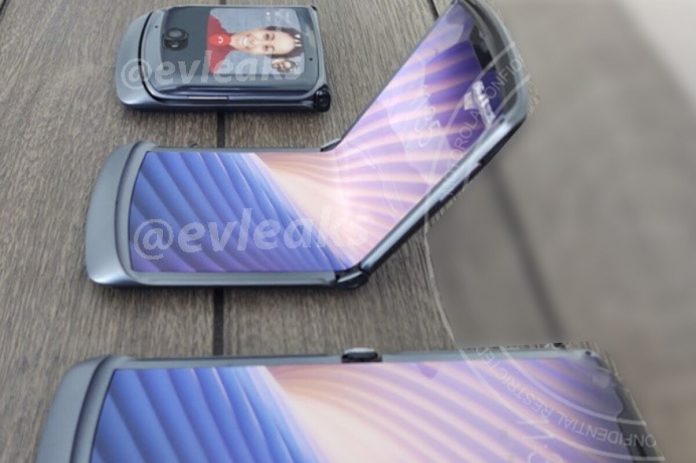
However, the company is working on a new 2020 model of Razr, which will launch with 5G connectivity support. The mobile has been codenamed “Motorola Odyssey” and is expected to launch later this year. There have been a few image leaks, which shows that the company is trying to bring back the same form factor with some very important changes to the design, making it look sleeker and light. The display is expected to be 6.2 inches, and bezels on the screen have reduced further. Even the massive chin has been reduced, but Motorola has removed the capacitive fingerprint scanner this time around.

It can be integrated into the side power button or the on-screen. No changes seem to be done on the external screen, and the camera setup has been updated. The primary camera seems to bump out a little from the external body and seems to be the 48-megapixel shooter with a 20-megapixel shooter outside the bump. It also seems that Motorola will not adopt the 800 series chipset from Snapdragon and will stick to the 765 chipsets. The new phone is also expected to house a bigger battery and a higher RAM configuration.

Spotify Premium users can now host a listening party

0
Image Credit: Ourculturemag.com

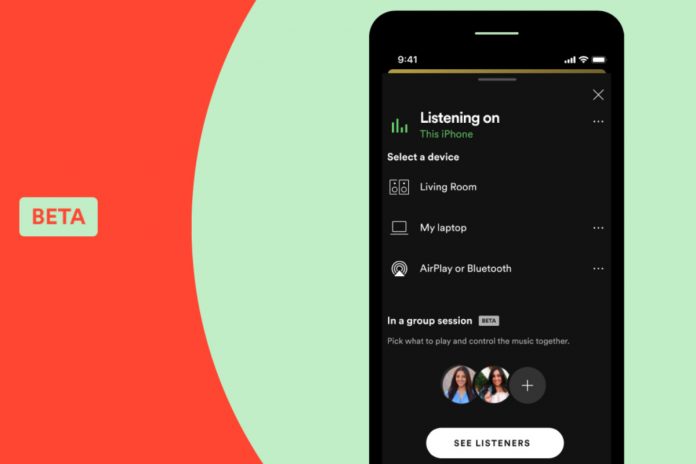
Spotify has been adding up a lot of new features for its users, and this time, it’s the premium users who will get a new feature. Now Spotify premium users can listen to music or podcast with friends and family simultaneously, and this does not require the users to be at the same location. The company has added a beta feature called Group Session to the app, through which the premium user can create a shareable link and share it with up to five friends at a time.

However, those five friends should also have a Spotify Premium account with them. Only premium users are allowed to share and view the content together. Any person in the streaming party can pause, play, skip, or select tracks in the queue, and they can add their own choices. 

The feature does not add any chat support to the group, so the users will have to use a third-party application to discuss the podcast or their choice of music. To use this feature, select the “Connect” menu on the bottom left corner of the app and select “Start a group session“. Once selected, you can use the shareable link and send it to your friends and family.

The company has currently released the beta version feature, but it has confirmed that the feature will remain and will evolve to become better. The company has been building any new premium features lately to encourage the users to subscribe to their premium service.